
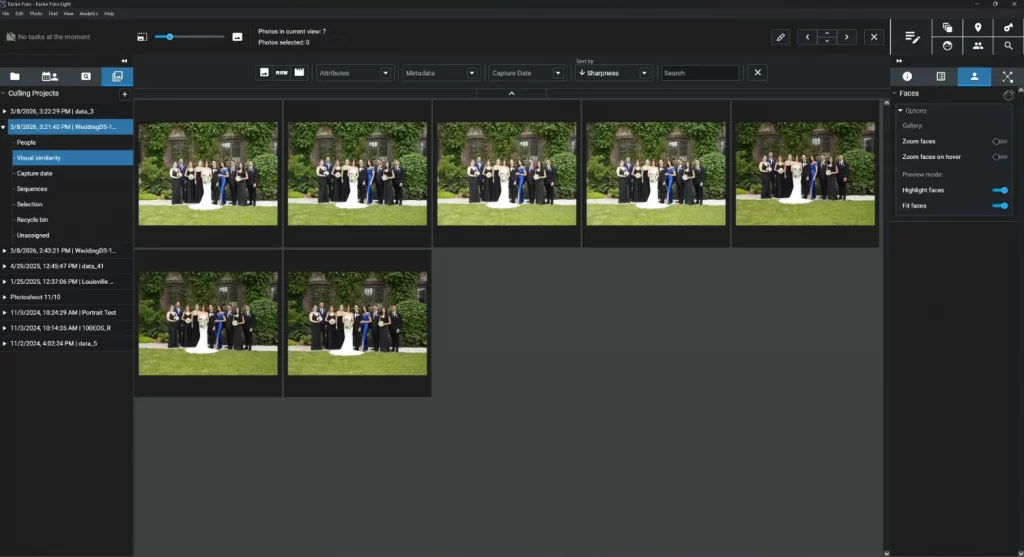
Culling a new batch of images can take hours, and for me, it’s an unrelenting slog. After reviewing hundreds (often thousands) of photos one by one, my eyes start to hurt, my head feels like it’s going to explode, and I no longer trust my ability to evaluate images accurately. Your experience may not be […]
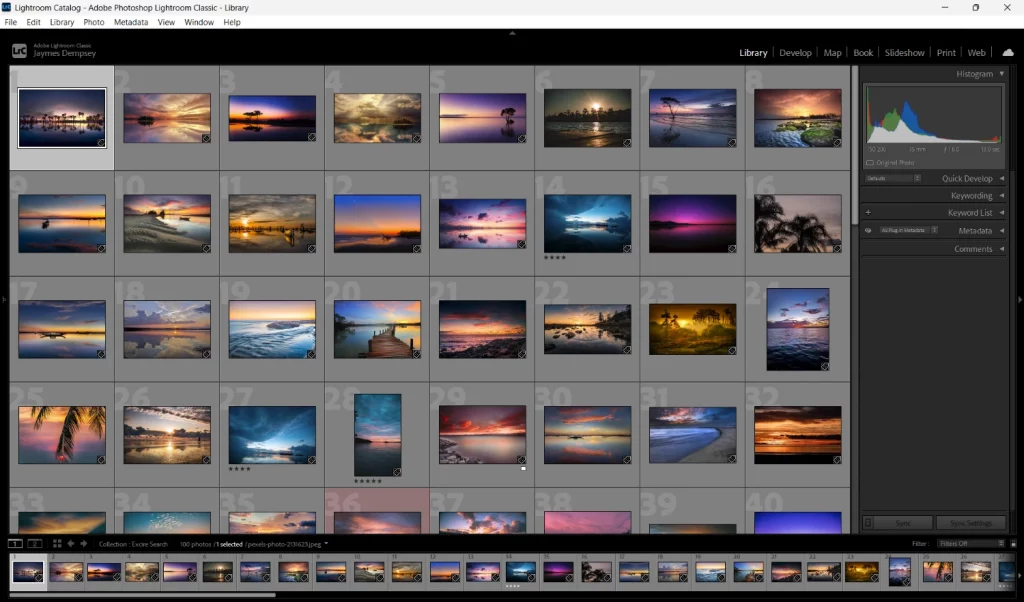
Lightroom ist ein vielseitiges Programm, das Bildverwaltung und Fotobearbeitung ideal kombiniert. Genau deshalb nutze ich es seit über fünfzehn Jahren – und bin immer noch davon überzeugt. Lightroom bietet viele großartige Funktionen, aber in manchen Bereichen stößt das Programm an seine Grenzen. Trotzdem möchte ich nicht darauf verzichten, da ich den reibungslosen Workflow sehr schätze. […]

Discover the perfect photo-organization program to manage your files. Find, cull, and organize your images like a pro!
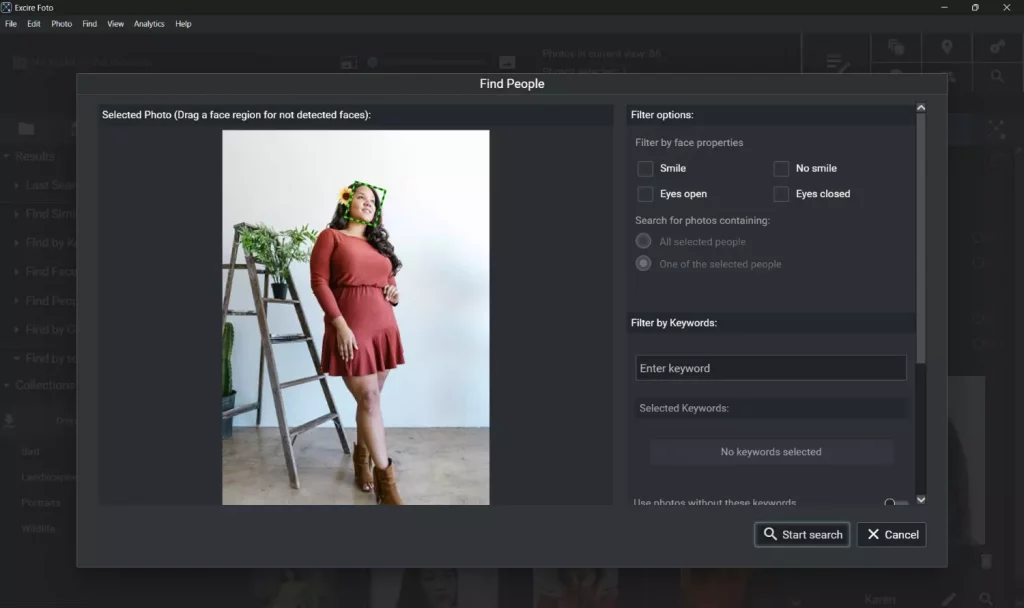
The top 5 AI-powered photo organizers with outstanding facial recognition capabilities. Manage your photos with cutting-edge facial-recognition software!

We are pleased to announce that Excire Foto has been named “Best Imaging Software” in the Photography News 2025 Awards! After being nominated earlier this year, Excire Foto went on to take the top spot in a competitive category that included both photo-editing tools and photo-management software. Despite the impressive competition—Excire was up against popular […]

AI-powered culling software is not new. If you want to streamline your culling workflow with AI, you have a variety of standalone programs and platforms available: Imagen AI, Narrative Select, Excire Foto 2025, and Aftershoot, to name a few. But for dedicated Lightroom Classic users, none of these options are ideal; they exist outside of […]

We’re thrilled to share some exciting news: Excire Foto has been nominated for the Photography News 2025 Awards in the Imaging Software category! This recognition spotlights Excire’s impact on photographers of all levels, who use our software to organize photo collections, find images, and cull photoshoots. It’s also a testament to the quality of Excire’s […]
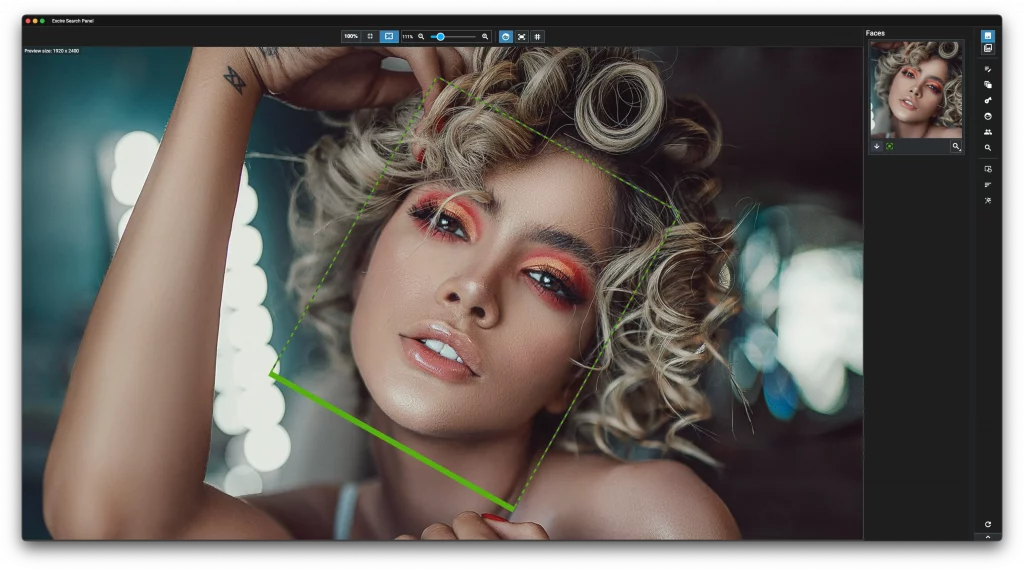
We’re thrilled to announce the release of Excire Search 2026, the latest and most powerful version of our AI-powered Lightroom Classic plugin. Designed for photographers who want to spend less time managing their image catalog and more time behind the camera, Excire Search 2026 is packed with new features that make photo management—and now video […]

With over 60,000 photos, the image archive of Rhine-County of Neuss was a real treasure trove—but a rather disorganized one. That is, until a software solution from Germany helped get it under control. We spoke with Benjamin Josephs, Head of Press and Public Relations in Rhine- County of Neuss, about the adoption of the Excire Foto Office Edition, the benefits it brings to daily work, and his close collaboration with the Excire developers.

Cavok and Excire AI integration delivers smarter, faster image search with full local control. AI-enhanced DAM without the risks!

Excire has turned 10 years old, and to celebrate, we’re launching our biggest-ever photography competition: People in Focus. The competition—which runs from June 1st through June 30th—invites photographers around the globe to submit people and portrait images of all types. And because a decade of building AI-powered photo-management software is a big deal (we think […]

Branche: Innovations- und GründungszentrumEinsatzbereich: Öffentlichkeitsarbeit, Social Media & GrafikdesignOrt: Kassel, Deutschland Herausforderung: Große Bildarchive, wenig Überblick Der Science Park Kassel ist ein Innovations- und Gründungszentrum auf dem Nordcampus der Universität Kassel. Seit 2015 bietet er auf über 6.000 m² Büro- und Werkstattflächen für Start-ups und Unternehmen mit Hochschulnähe. Im Bereich Öffentlichkeitsarbeit übernimmt Anja Pawliczek, Social […]

Branche: TourismusTätigkeitsfeld: DestinationsmanagementAnwendungsbereich: Bildarchivierung und -recherche für Print, Website und Social Media Als Haßberge Tourismus e.V. sind wir für die touristische Entwicklung und Vermarktung der Urlaubsregion Haßberge in Bayern verantwortlich. Wir konzipieren und koordinieren vielfältige Angebote – von Wanderwegen über Kulinarik-Erlebnisse bis hin zu ÖPNV-basierten Tourenvorschlägen – und präsentieren diese auf allen Kanälen: Print, Website […]

If you’re trying to determine the right platform for managing your digital assets, then you’ve likely come across two key terms: Digital asset management, or DAM. And media asset management, or MAM. Both DAM systems and MAM systems share plenty of features, but they’re designed for different use cases. As a result, MAMs contain specialized […]

I’ve been using Adobe Lightroom Classic for over a decade now, and I genuinely like it—most of the time. But while Lightroom Classic offers a great set of editing tools, and I do appreciate its all-in-one workflow capabilities, there’s one thing that Lightroom doesn’t do well: Photo search. Yes, Lightroom lets you organize thousands, or […]

On-Premise Digital Asset Management: A Practical Guide Digital Asset Management (DAM) systems are essential tools for organizations that produce and/or manage digital content—whether that’s photos and videos, logos and graphics, documents, or presentation files. So if your organization needs to maintain order, collaborate across users and departments, keep files accessible, and streamline workflows, a DAM […]

Unternehmen: Metallwerke Renner GmbHBranche: Metallverarbeitung / IndustrieprodukteAnwendungsbereich: Verwaltung und Nutzung großer Bilddatenbanken für On- und Offline-Publishing Herausforderung: Die Bilderflut im Griff behalten Die Metallwerke Renner GmbH ist spezialisiert auf die Herstellung von Abfall- und Entsorgungsbehältern für den urbanen Raum sowie für industrielle Anwendungen. Mit eigener Feuerverzinkung und Pulverbeschichtung bietet das Unternehmen alles aus einer Hand – und generiert […]

Culling is a necessary part of nearly every photographic workflow, and it’s especially important if you want to display your best photos or send photos to clients. But it’s also very time-consuming: culling a batch of 1000+ photos can take hours, and once you’re done with culling, you still have to edit your final picks […]

These days, we photographers can’t go two minutes without encountering an opinion about AI. It’s usually negative and often extreme (e.g., “AI will ruin photography forever”), and I can certainly empathize. After all, one of the most well-recognized forms of artificial intelligence in photography—AI image generation—threatens to reduce the value of photography (and photographers) by […]

Big news from Excire—we’re thrilled to introduce Excire Foto Office Edition, a cutting-edge photo-management solution designed specifically for businesses and teams! After receiving countless requests from professionals in marketing, architecture, PR, museums, libraries, and beyond, we’ve built a network-enabled program that makes managing photos and videos across a shared database so much simpler. Excire Foto […]

We’re excited to release the latest version of our standalone photo-management program, Excire Foto 2025, which offers major new features for sorting, culling, and organizing files, in addition to our state-of-the-art search functions. Excire Foto 2025 pushes the boundaries of AI-powered photography software yet again, allowing photographers and content creators to accelerate (and even bypass) […]

Image organization may not get the same level of attention from photographers compared to, say, post-processing, but it sure is important – assuming you ever want to find, edit, and share your images weeks, months, and years from now, that is! Because here’s a hard truth: A disorganized photo collection is effectively worthless. If you […]

If you’re serious about keeping your image database both organized and searchable, then I highly recommend you incorporate tagging into your workflow. As a photographer myself, I can understand why image tagging is generally viewed as tedious, time-consuming, and downright unpleasant; after all, who wants to spend hours each week carefully applying tags to images […]

Keep your photos safe and secure with a robust backup solution! A comprehensive exploration of image backup options for photographers.

Keep your photos safe and secure with a robust backup solution! A comprehensive exploration of image backup options for photographers.

Excire’s computer-vision technology is now used in a leading digital forensics program – and is available to software developers via an API.

Easy photo-storage methods to keep your images safe and secure! Expert advice for both digital and film collections.
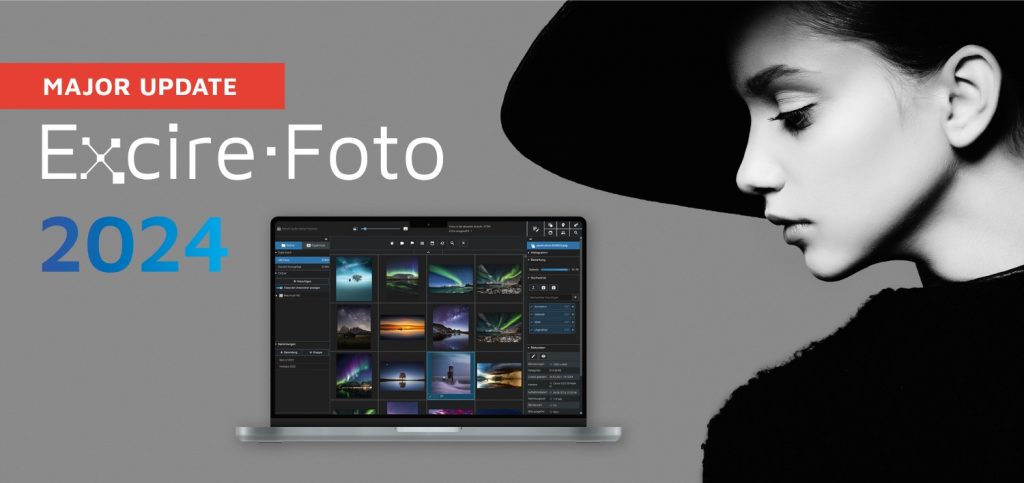
Exciting news from the Excire team: Today, we release a major update to our flagship image-management program, Excire Foto 2024. Existing Excire Foto 2024 users will receive the update free of charge, while new users can purchase the program for a significant discount ($149 USD versus the usual $189 USD) through May 5th. The new […]

Afte extensive testing, the ExpertPhotography team highly recommends Excire Foto 2024. In their Excire review, they emphasize the software’s seamless integration with Lightroom Classic’s image-management features, sophisticated facial recognition, and the impressive nature of how the Analysis tool breaks down your photos. ExpertPhotography also featured Excire Foto as the best photo management software and as […]

If you want to produce polished, refined images, there’s no way around it: you must edit your photos. But as a PC user, whether you’re exploring the world of photo editing for the first time or you’re looking for an alternative to your current post-processing program, picking the right photo editing software can be a […]

Everything you need to know for effective photo keywording. Discover a step-by-step keywording workflow to keep your photo library in order.
Excire Foto Test David Crewe vom Foto-Magazin PetaPixel hat Excire Foto 2022 auf Herz und Nieren geprüft und eine klare Kaufempfehlung ausgesprochen: „Solltest du es kaufen? Ja, wenn du eine umfangreiche Bibliothek mit Zehntausenden oder sogar Hunderttausenden von Fotos hast und diese effizient durchsuchen möchtest.“ Seine Kaufempfehlung richtet sich zwar eher an professionelle Anwender, doch […]
Das Lightroom-Plugin Excire Search 2 macht es möglich, die Excire KI-Technologie auch in Adobe Lightroom Classic zu nutzen. Trotzdem arbeiten viele Lightroom-User zusätzlich mit der Standalone Bildverwaltung Excire Foto. Warum es sinnvoll sein kann, Ihre Fotos mit diesem Powerduo zu verwalten, lesen Sie in diesem Beitrag. Warum Excire Search 2 + Excire Foto? Welche Vorteile hat […]

Das DigitalPHOTO Magazin hat die Bildverwaltung Excire Foto 2022 getestet und die Note „Sehr gut“ vergeben. Software-Redakteur Jörg Rieger Espíndola schreibt: „Excire Foto ist zur Fotosuche ein absolutes Highlight, auch in der aktuellen Version zeigt die Anwendung den Mitbewerbern, wie intelligente Fotoverwaltung unter Windows oder macOS funktioniert. Die Erkennungsrate ist selbst bei komplexen Motiven erstaunlich gut und blitzschnell.“ Hier […]
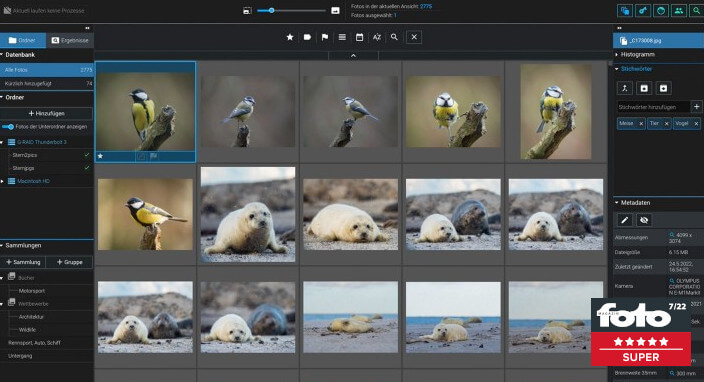
Das fotoMAGAZIN hat Excire Foto 2022 in Heft 7/22 genauer unter die Lupe genommen und die neueste Version der KI-gestützten Bildverwaltung als Produkt des Monats und mit 5 Sternen ausgezeichnet. Das Fazit des Tests: „Excire Foto ist ohne echte Konkurrenz. So einfach verschlagworten, recherchieren und flexibel Personen finden kann sonst kein Programm, das die Bilder ausschließlich lokal verwaltet. Auch […]

Wir freuen uns, Ihnen Excire Foto 2022 vorstellen zu dürfen, die neueste Version unserer vielfach empfohlenen, KI-gestützten Software zur Fotoverwaltung und Fotosuche. Wir haben auf die Wünsche unserer Nutzer gehört und unter anderem einen einzigartigen Duplikatefinder in Excire Foto 2022 integriert, mit dem Sie noch mehr Ordnung in Ihr Fotoarchiv bringen. Mit dem neuen Duplikatefinder […]

Miho vom Kreativ Studio Pavel Kaplun hat sich unser neues Excire Analytics genauer angeschaut und demonstriert, wie Sie mit dieser tollen Erweiterung wichtige Erkenntnisse sammeln, um ein besserer Fotograf zu werden. Die Details dazu erfahren Sie in seinem sehr sehenswerten Video: Zum Video Video is in German – we recommend to enable Google subtitles.
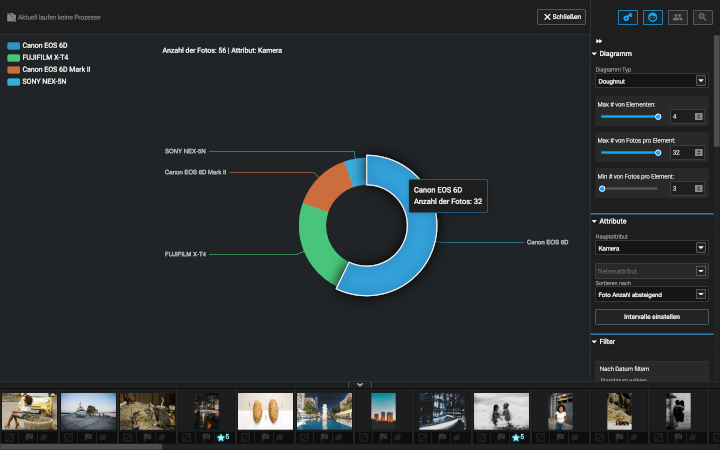
Nutzen Sie Excire Analytics, um tiefere Einsichten in Ihre Fotogewohnheiten zu gewinnen, bessere Kaufentscheidungen für zukünftiges Fotoequipment zu treffen, aus den Auswertungen zu lernen und Ihre Fotoskills zu verbessern. Haben Sie sich auch schon einmal gefragt, mit welchem Equipment oder welchen Einstellungen Sie Ihre am besten bewerteten Fotos gemacht haben? Welche Kamera-/Objektivkombi Sie auf Reisen […]

Harm-Diercks Gronewold, Redakteur von Digitalkamera.de, hat Excire Foto ausführlich getestet

In der neuen Ausgabe hat sich das fotoMAGAZIN Excire Foto und Excire Search angeschaut

Miho und Pavel von dem Kreativ Studio Pavel Kaplun teilen ihre Erfahrungen mit Excire Foto nach einem Jahr der Nutzung. Wie sie ihre Datenbestände, welche über neun Terrabyte umfassen, mit Excire Foto beherrschen und über welche Features sie sich ganz besonders freuen, erfahren Sie in diesem sehr sehenswerten Video: Zum Video Video is in German – we recommend to […]

Wir freuen uns darüber, bekannt geben zu können, dass wir unsere Partnerschaft mit Intel vertiefen konnten. Eine Spezialversion von Excire Foto ist nun Bestandteil eines Bonuspaket

Digital Photo Redakteur Jörg Rieger hat sich unsere neuste Excire Foto Version genauer angeschaut und seine Eindrücke in einem Artikel zusammengefasst

In der aktuellen Ausgabe der DOCMA, dem Magazin für Bildbearbeitung, gibt es neben vielen weiteren interessanten und spannenden Artikeln einen Beitrag zu Excire Foto.

Thomas Hintze hat auf seinem YouTube-Kanal der Raw Akademie unsere neueste Software Excire Foto einem ersten Test unterzogen.

In einem ausführlichen Video beschäftigt sich Miho Birimisa vom Kreativstudio Pavel Kaplun mit Excire Foto