| Features |
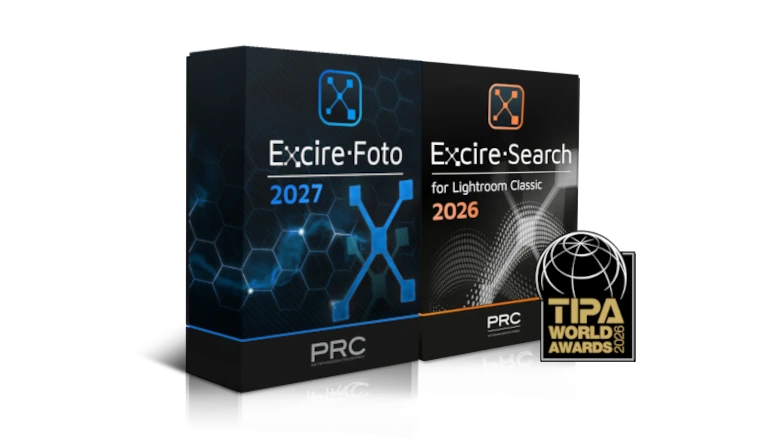
Excire Foto 2027 |
Excire Foto 2025 |
Excire Foto Office Edition |
| Automatic AI-based keyword assignment for photos |
X |
X |
X |
| Automatic AI-based keyword assignment for videos |
X |
X |
X |
| Extended progress bar when importing/analyzing photos |
X |
X |
X |
| Unrestricted free-text search |
X |
X |
X |
| Search with keywords |
X |
X |
X |
| Discover similar images: Effectively locate photos that share similarities |
X |
X |
X |
| Find similar photos with external photo |
X |
X |
X |
| Search for faces |
X |
X |
X |
| Search for people |
X |
X |
X |
| Find text in photos |
X |
|
|
| Find people with external photo |
X |
X |
X |
| GPS search |
X |
X |
X |
| Close-up display and easy navigation for fast assessment of faces |
X |
X |
X |
| Visualization of facial focus and other attributes in preview mode |
X |
X |
X |
| Face-tagging and display of tagged people in collections |
X |
X |
X |
| Built-in culling workflow |
X |
X |
X |
| Automatic grouping and sorting options |
X |
X |
X |
| Filtering of bad and good shots based on different criteria |
X |
X |
X |
| Aesthetic ratings |
X |
X |
X |
| Smart photo selection with predefined or individual profiles |
X |
X |
X |
| Survey View for photo selection
|
X |
|
|
| Peaking mode |
X |
|
|
| Preview mode |
X |
X |
X |
| Automatic loading of 1:1 resolution images in preview mode |
X |
X |
X |
| Comparison view in preview mode |
X |
X |
X |
| Professional slideshow |
X |
X |
X |
| Built-in video player |
X |
X |
X |
| Interactive Map View |
X |
|
|
| Statistical analysis of photo habits (Analytics) |
X |
X |
X |
| Adjustable side bars |
X |
|
|
| 3x3 grid in preview mode |
X |
|
|
| JPG, PNG and BMP formats |
X |
X |
X |
| RAW formats |
X |
X |
X |
| Support of PSD files |
X |
X |
X |
| Support of webp files |
X |
X |
X |
| Support of HIF files |
X |
|
|
| Filter by IPTC metadata |
X |
X |
X |
| Filter by media type (raw, photo&video) |
X |
X |
X |
| Filter by aspect ratio |
X |
X |
X |
| Filter by video length |
X |
X |
X |
| Filtering by person names |
X |
|
|
| Timeline filtering |
X |
|
|
| Support of Windows network paths |
X |
X |
X |
| Multiple databases |
X |
X |
X |
| Read EXIF data |
X |
X |
X |
| Read IPTC metadata |
X |
X |
X |
| IPTC Manager & Editor |
X |
X |
X |
| Save metadata |
X |
X |
X |
| Import stars, ratings, labels |
X |
X |
X |
| Import keywords |
X |
X |
X |
| Assign manual keywords |
X |
X |
X |
| Add GPS coordinates |
X |
X |
X |
| Batch renaming and moving of files |
X |
X |
X |
| Duplicate finder with numerous setting options |
X |
X |
X |
| Delete photos |
X |
X |
X |
| Create collections |
X |
X |
X |
| Status for folders and collections |
X |
X |
X |
| Assign and search for stars, flags & color labels |
X |
X |
X |
| Smart search for folders and collections |
X |
|
|
| Copy to clipboard function for photos |
X |
|
|
| Keywords from folder names |
X |
|
X |
| Option to hide irrelevant keywords |
X |
|
X |
| Export photos (with or without metadata) |
X |
X |
X |
| Video export |
X |
|
|
| Share via Dropbox |
X |
X |
X |
| Share via Google Drive |
X |
X |
X |
| Share via Microsoft One Drive |
X |
|
|
| Share via Nextcloud |
X |
|
|
| Team solution with a two-tier role concept and user-defined access rights |
|
|
X |
| On-premises use for easy integration into the company’s own infrastructure |
|
|
X |
| Unlimited number of local and network databases |
|
|
X |
| Sharing via FTP |
|
|
X |
| An option to adopt folder names as keywords |
|
|
X |
| Convenient license and subscrition management |
|
|
X |
| Automatic time-dependent user deactivation |
|
|
X |
| Silent Installer |
|
|
X |