Excire Blog
Excire Foto 2027 Gets a Major Free Update: Advanced Video Search, Reverse Geocoding, and More
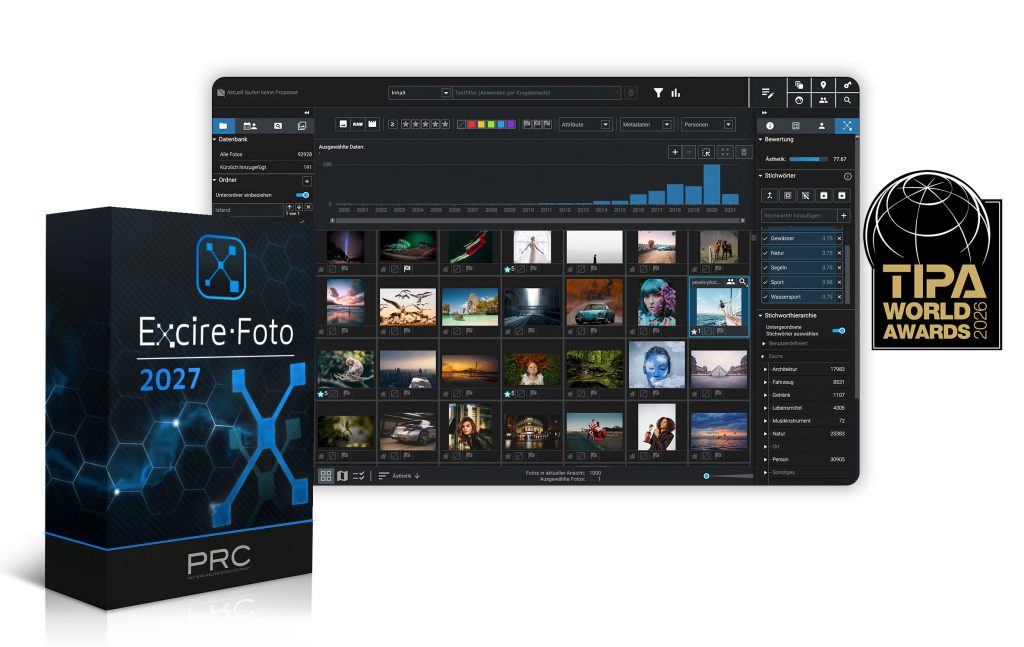
Exciting news for fans of Excire Foto 2027, our award-winning standalone photo manager: We’ve just released a major update!
The release offers powerful new features for searching and organizing video content, as well as reverse geocoding and a range of additional workflow improvements.
Whether you’re a photographer who also captures video clips, a content creator with an extensive video library, or someone who simply wants to keep their images organized, the new features make it easier than ever to manage and explore your files.
If you already own Excire Foto 2027, all the new features are completely free, thanks to your lifetime license!
And if you don’t yet own Excire Foto 2027: When you purchase a lifetime license (available from the Excire Shop), you’ll receive the latest version of the program, with all the new features included.
Below, we take a closer look at what’s new, how the features work, and how to get started.
Advanced Video Indexing: Easily Search Your Video Content With AI-Powered Tools
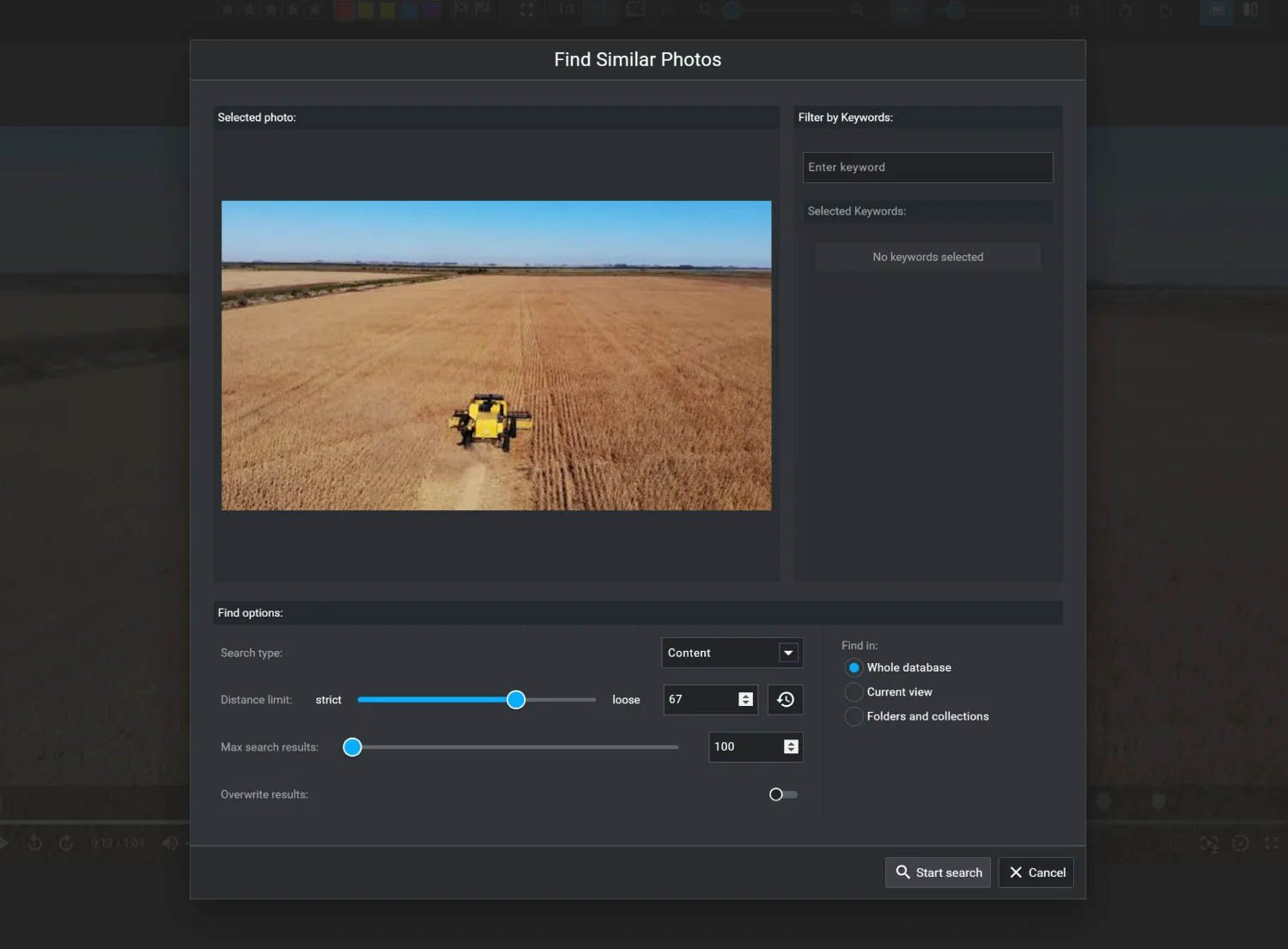
One of the biggest additions to Excire Foto 2027 is advanced video indexing. Before today, Excire Foto 2027 offered highly reliable tools for finding photos, but video support was more limited. The new advanced video indexing feature makes Excire Foto 2027’s AI-powered search tools highly effective for video retrieval.
In standard photo & video managers, finding a particular video can be a time-consuming slog; you search for filenames, manually added metadata, or simply scroll through your clips until you locate the right one. Plus, even when you find the correct file, you might still have to scrub through minutes of footage to find the moment you needed.
The new update makes this process dramatically easier.
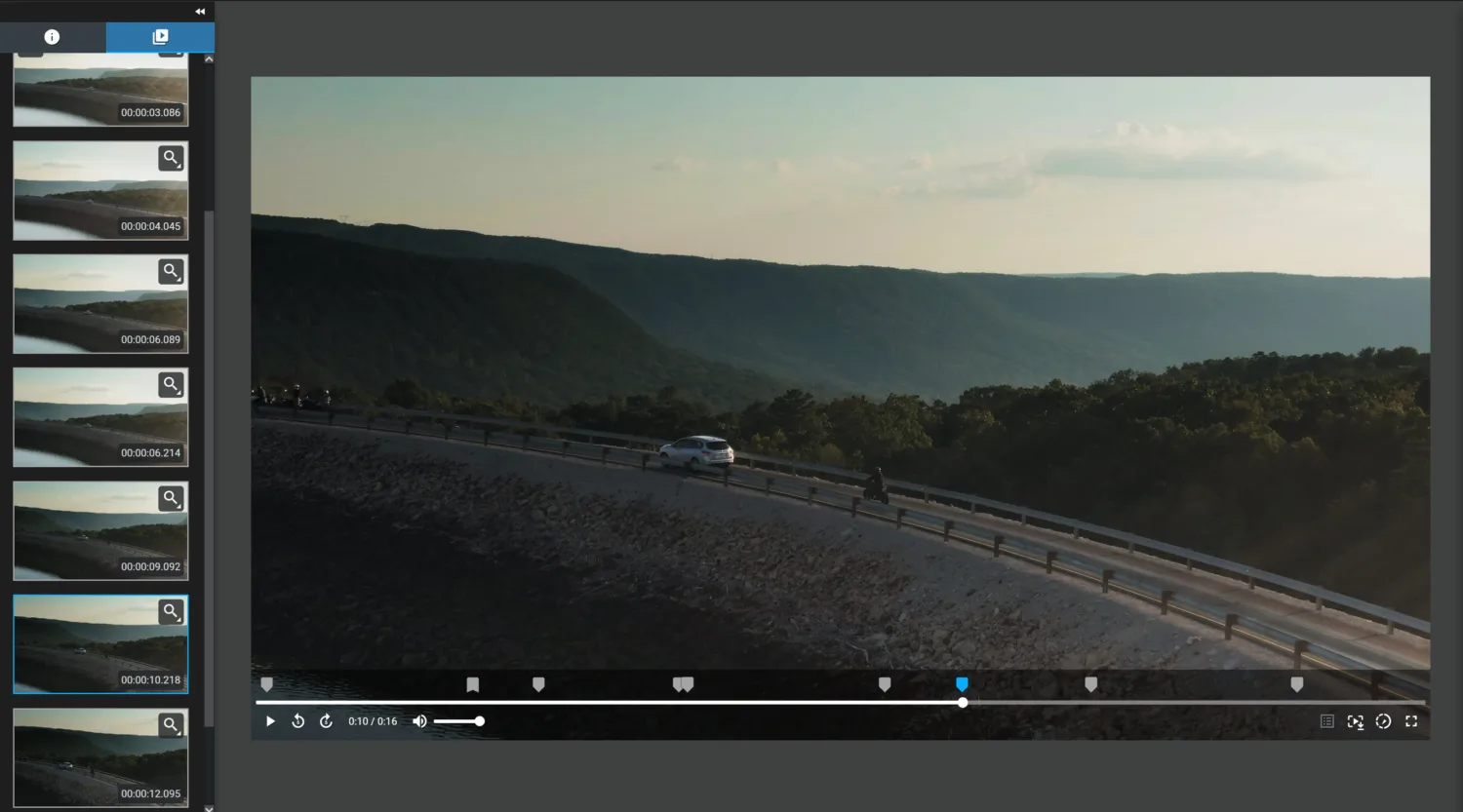
Excire Foto 2027 now analyzes each video file and automatically identifies a range of frames that represent the video’s content. These frames are indexed and made searchable through Excire’s specialized AI tools.
As a result, you can get highly effective results when searching your video library with:
- Natural-language prompt search: Describe the content you’re looking for, such as “a dog running along a beach” or “a sunset over the mountains,” and instantly see matching results.
- People and face search: Find videos containing specific people or facial characteristics.
- Keyword search: Locate videos using automatically generated keywords that describe their contents.
- Similarity search: Use an existing image or video frame to find visually similar content.
- Visible text search: Find video content based on text appearing within the footage.
With the updated Excire Foto 2027, you don’t need to manually tag your videos or remember filenames or even folders. Excire handles the analysis and indexing, allowing you to focus on finding the footage you need.
Find Specific Moments Within Your Videos
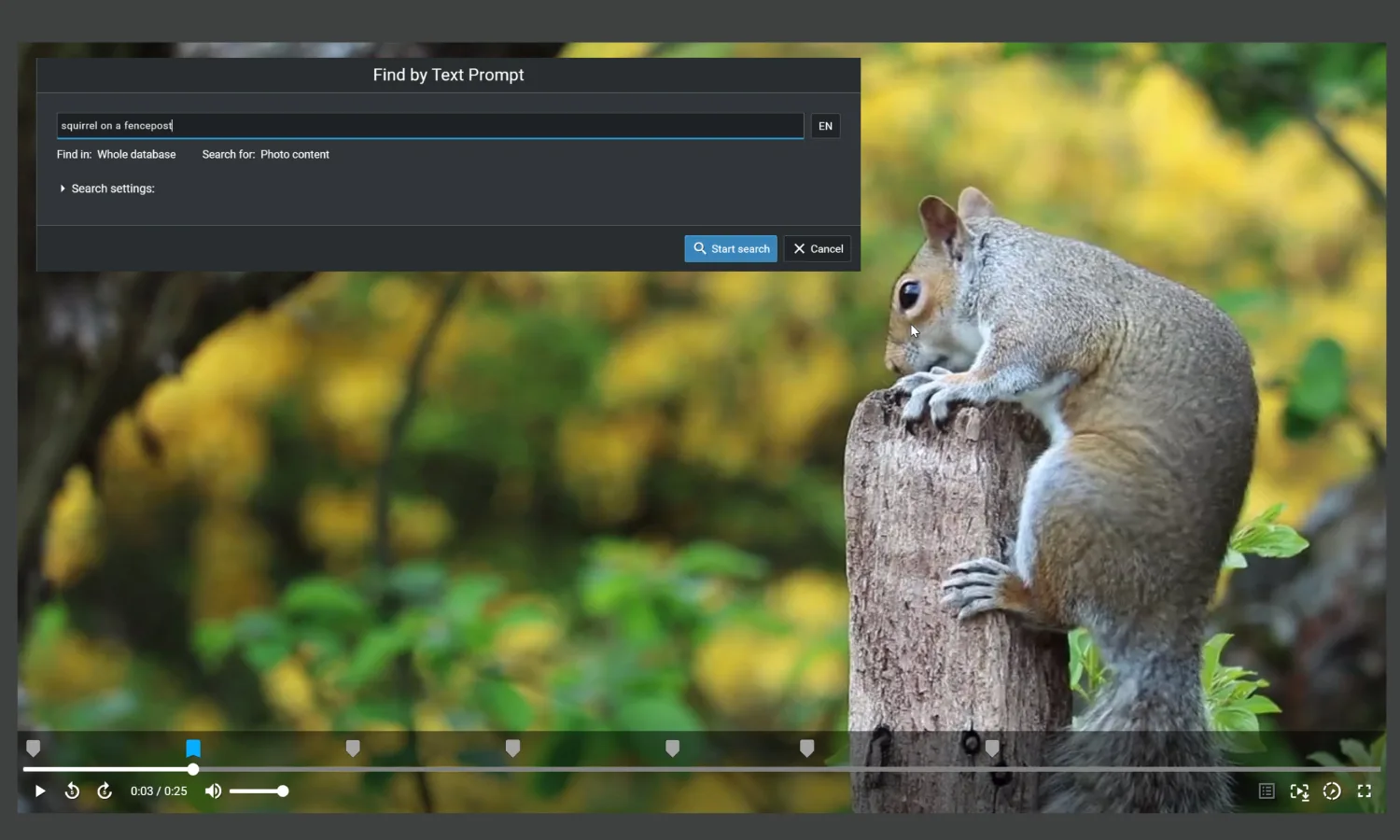
Imagine you recorded a long video while traveling, and now you want to locate a particular scene featuring a specific subject. Instead of searching for the video and – once it’s been located – opening the file and searching through it manually, you can run a content-based search in Excire Foto.
And then, when you open a matching result, Excire Foto 2027 will take you directly to the point in the video where the relevant content appears.
This is especially useful for photographers and content creators who accumulate large amounts of video footage and need to find specific subjects, scenes, or people without spending hours reviewing clips.
Take Control of Your Video Frames
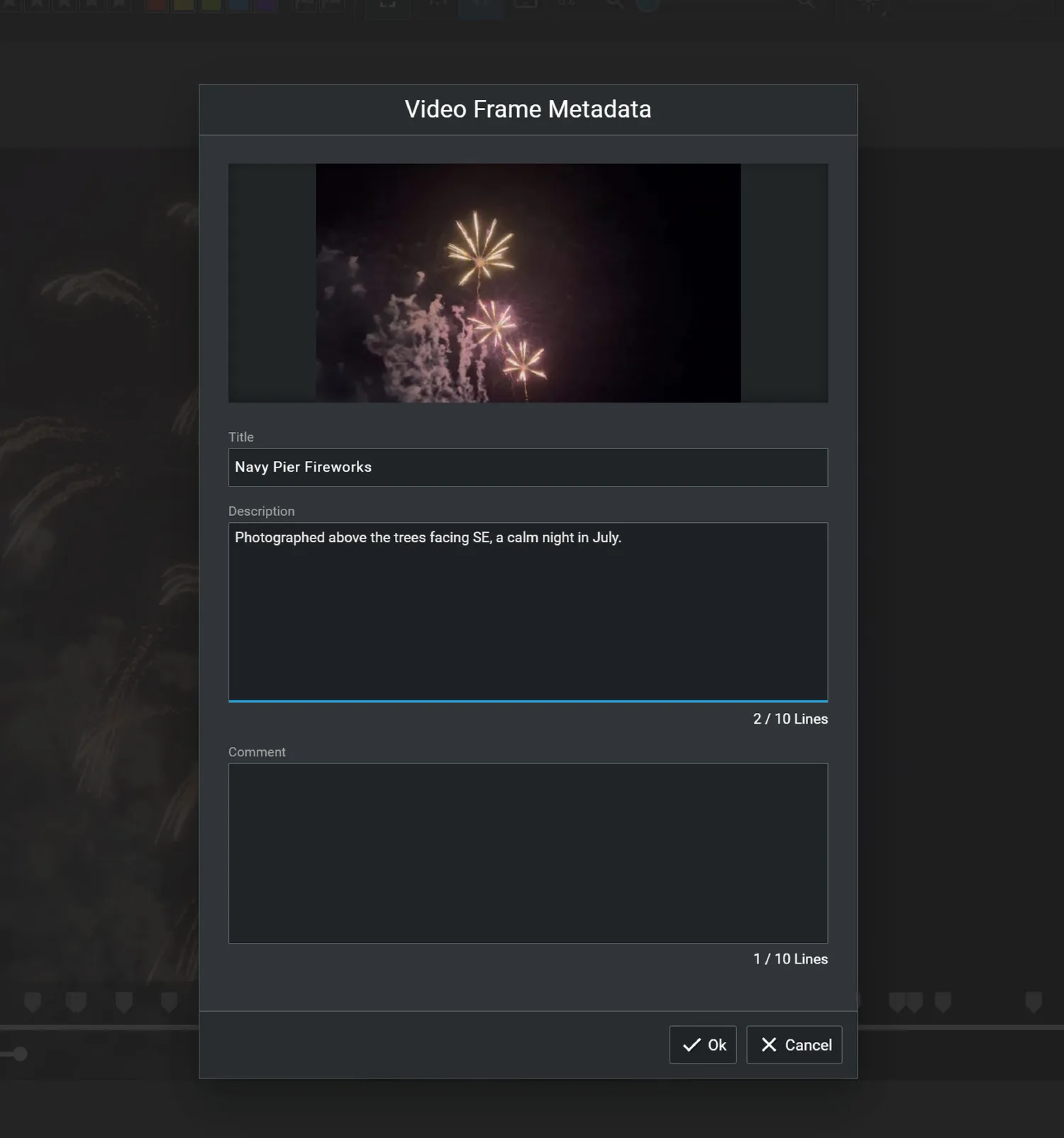
The new update also introduces more flexibility in how you manage and work with video frames.
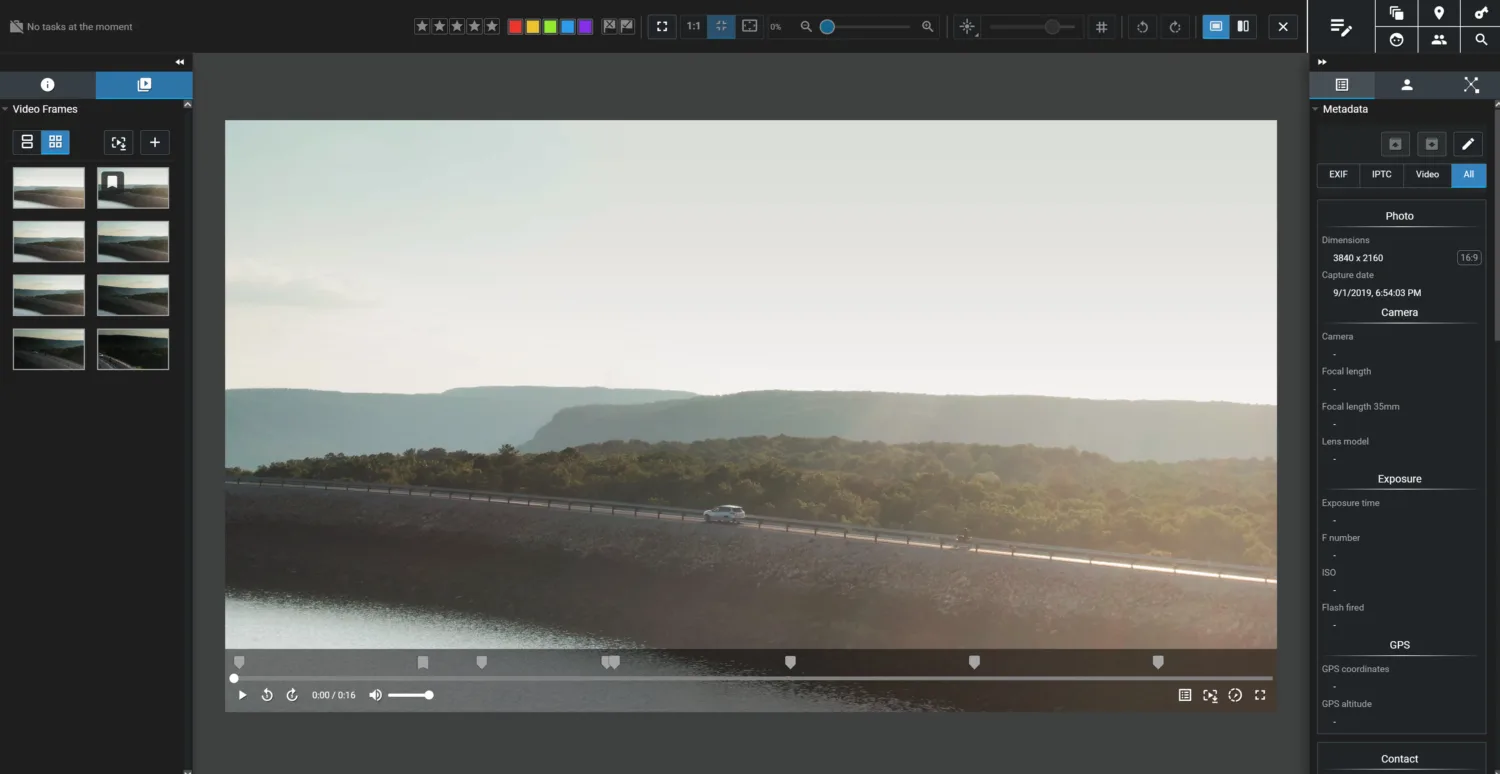
During advanced indexing, Excire automatically selects frames that represent a video’s contents. However, you aren’t limited to the frames the software chooses.
You can:
- Add frames: Select additional moments within a video and include them in Excire’s search index.
- Remove frames: Exclude frames that aren’t useful or relevant to your searches.
- Edit frame metadata: Add information to individual frames for improved filtering and organization.
- Search by frame similarity: Use a particular video frame as a reference to find visually similar content elsewhere in your library.
Adding or removing indexed frames is completely non-destructive, so your original video files remain untouched.
Save Video Frames as Photos
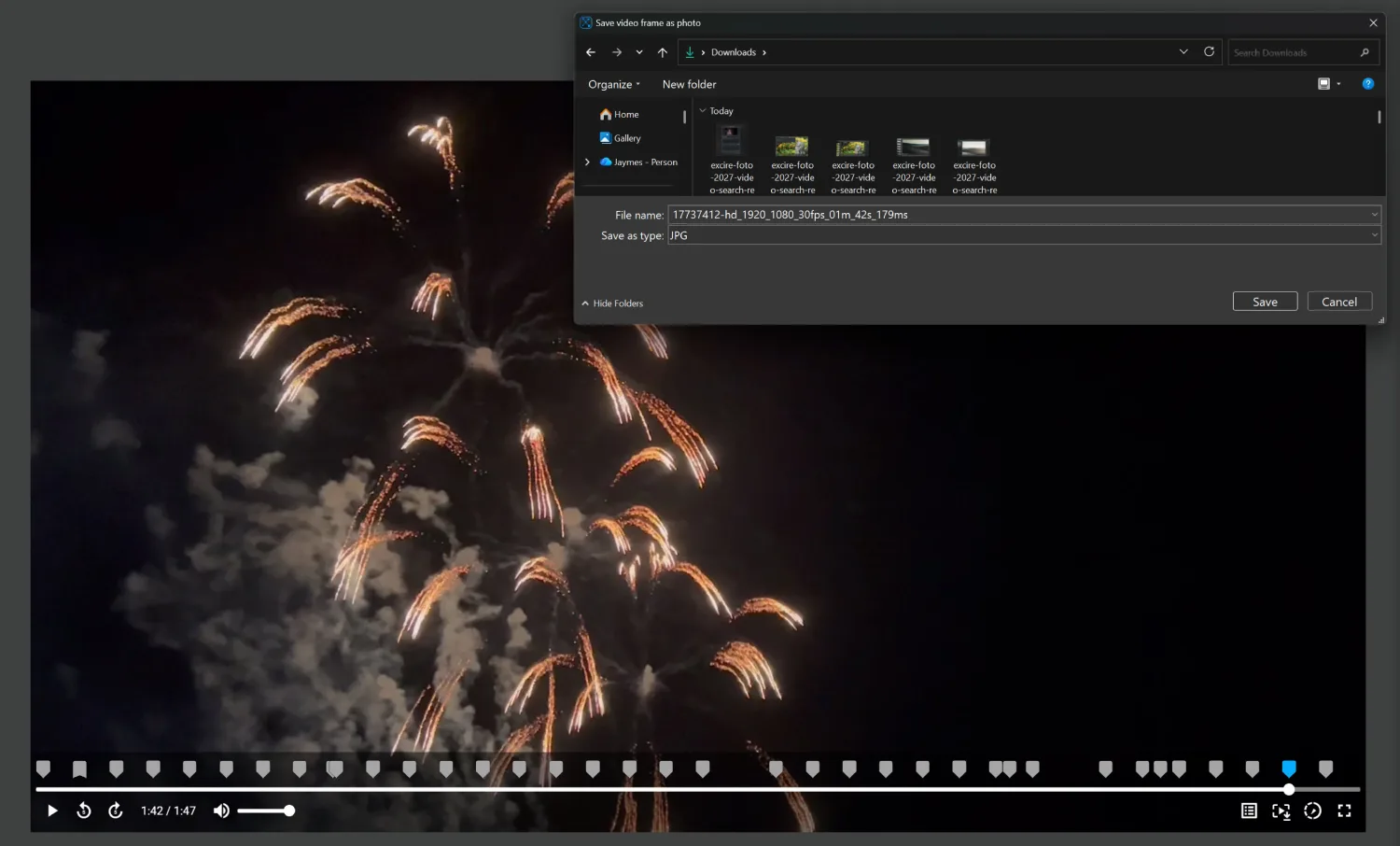
Have you ever captured a great moment on video and wished you could save it as a standalone image? With the November update, you can!
Excire Foto 2027 now lets you save individual video frames as separate photo files, without needing to switch to another program.
Once saved, these frames can be added to your Excire Foto database, where you can analyze, search, organize, cull, and export them just like your other photos.
That way, you can preserve useful still images from video footage and keep everything together in one searchable library.
Reverse Geocoding: Automatically Add City and Country Information
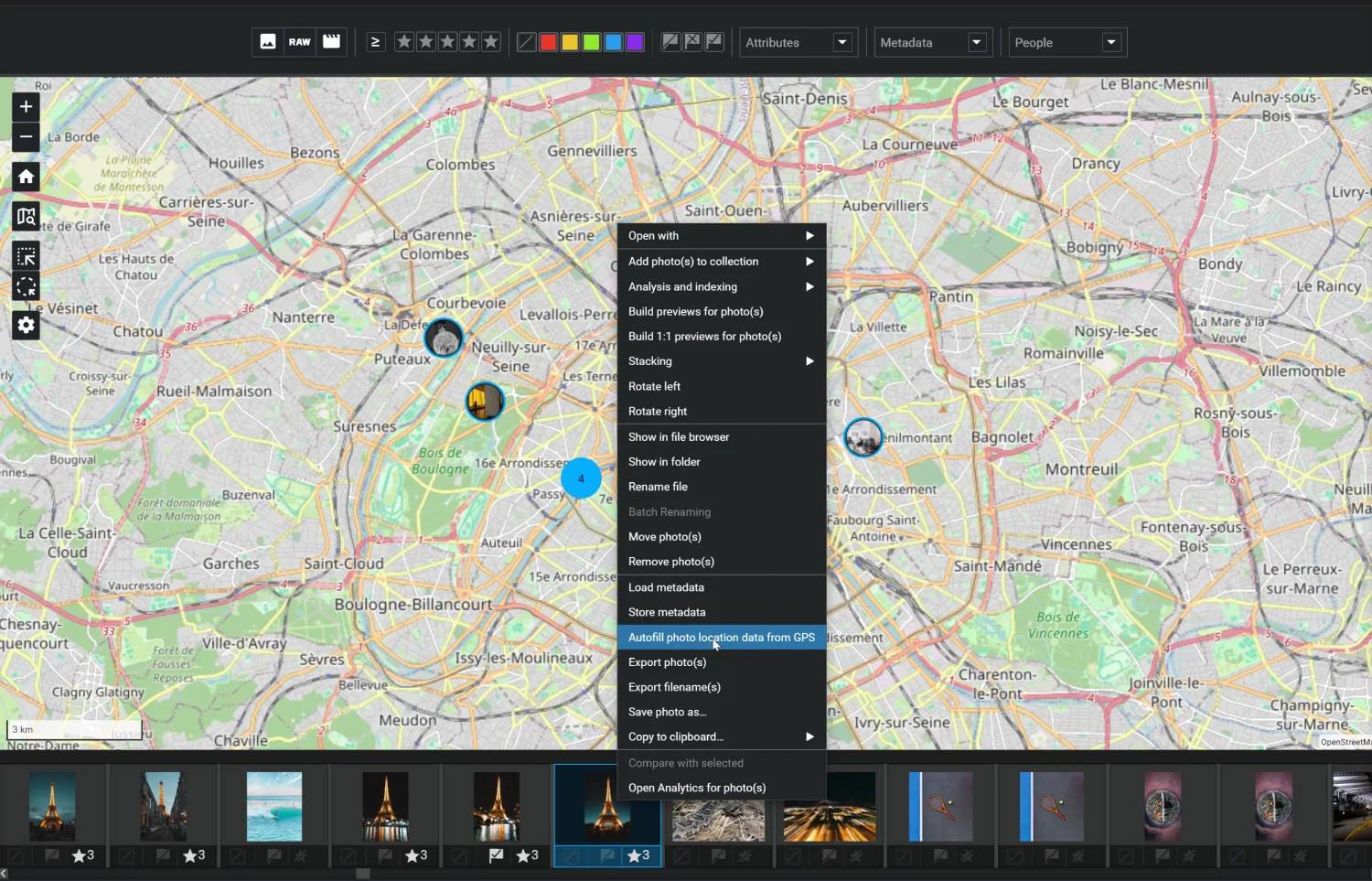
The update also introduces reverse geocoding, a useful new feature for photographers who want to organize and browse their images by location.
Many cameras and smartphones can record GPS coordinates when capturing photos. But while coordinates identify an exact geographic position, this doesn’t always make it easy to browse or filter a photo collection.
That’s where reverse geocoding comes in.
Excire Foto 2027 can now use a file’s existing GPS coordinates to determine the city and country where it was captured, then add that information to the appropriate metadata fields.
For example, a set of photos taken in Paris might already contain latitude and longitude coordinates. But with reverse geocoding, Excire can identify the city as Paris and the country as France. You can then use traditional metadata filters or metadata-based text filters to quickly view the photos taken in that location.
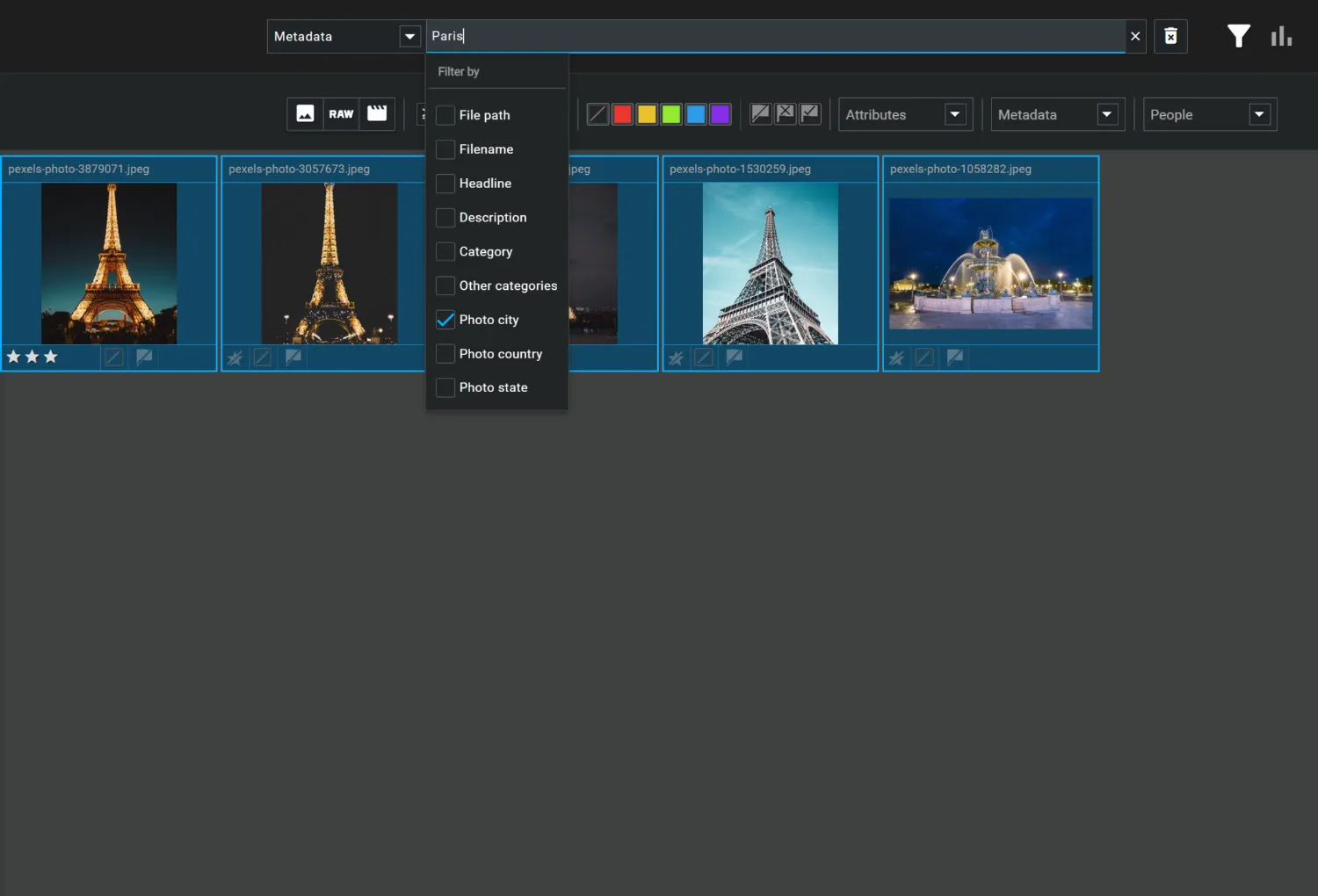
Just note that reverse geocoding uses GPS information already associated with your files. It does not determine a photo’s location from its visual content alone.
Additional Improvements for a Faster, More Flexible Workflow
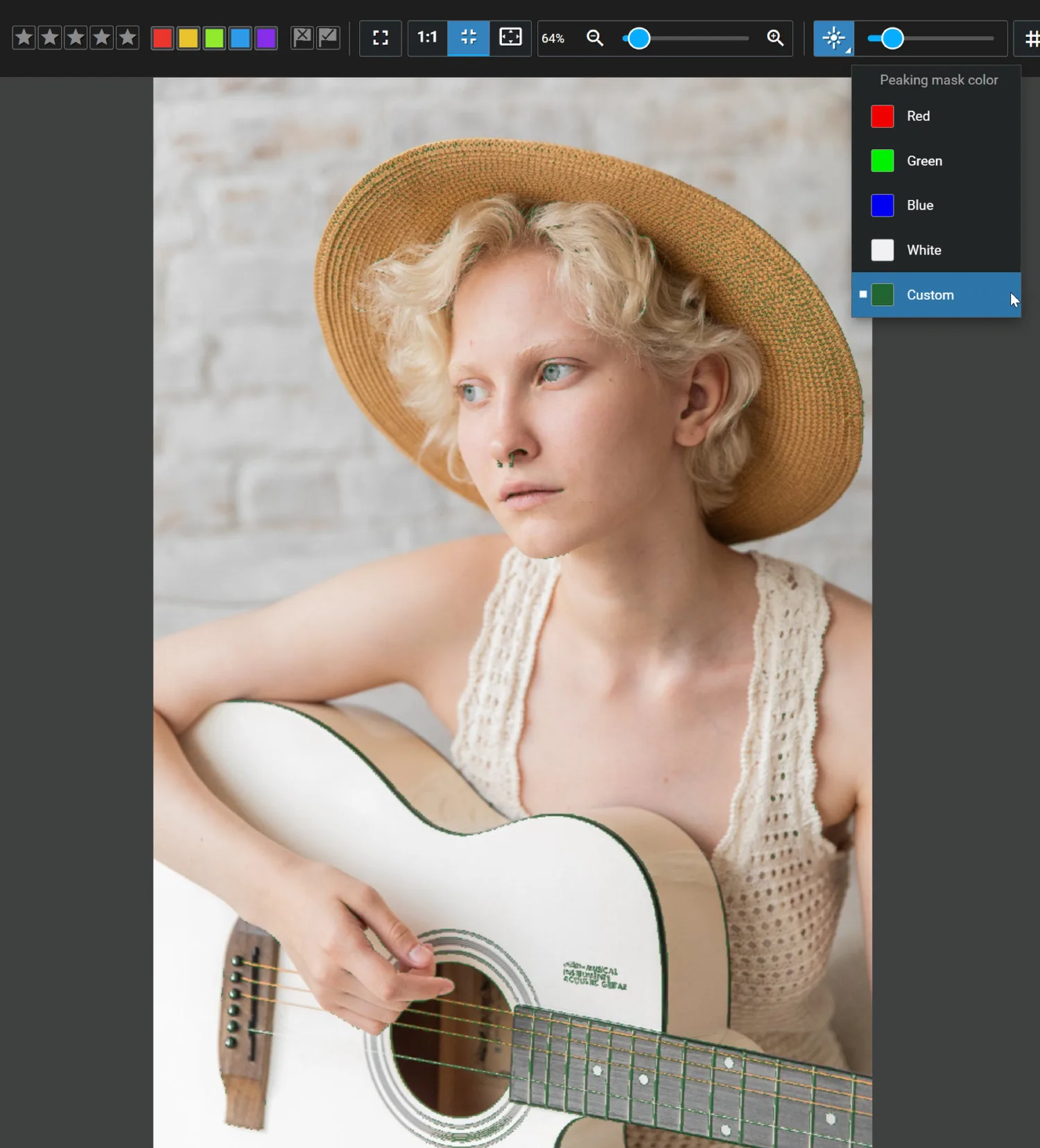
Alongside advanced video indexing and reverse geocoding, the November update includes several smaller enhancements that’ll make everyday photo management easier.
Here are the changes we think you’ll enjoy:
- Easy map access: Open a file’s capture location in Excire Foto’s Map View or on Google Maps with a single click.
- New “No value” filters: Quickly identify files that are missing particular metadata.
- Customizable focus peaking overlays: Choose a custom color for focus-peaking masks to make sharpness evaluation more convenient.
- Quicker text filtering: Press the up arrow on your keyboard to rapidly recall and reapply previous text filters.
- More flexible importing: Add individual files or entire folders to your Excire Foto 2027 database.
And as always, Excire’s AI analysis runs locally on your computer, keeping your photos and videos private.
How to Get the Updated Version of Excire Foto 2027
If you don’t yet own Excire Foto 2027, you can purchase your lifetime license from the Excire Shop!
You can also try the program for 14 days (even if you’ve tried it before).
And if you already own Excire Foto 2027, then getting the new features is easy.
Simply open Excire Foto 2027 and follow the update prompt to install the latest version. If no prompt appears, go to the Help dropdown in the main menu and click Check for Updates.
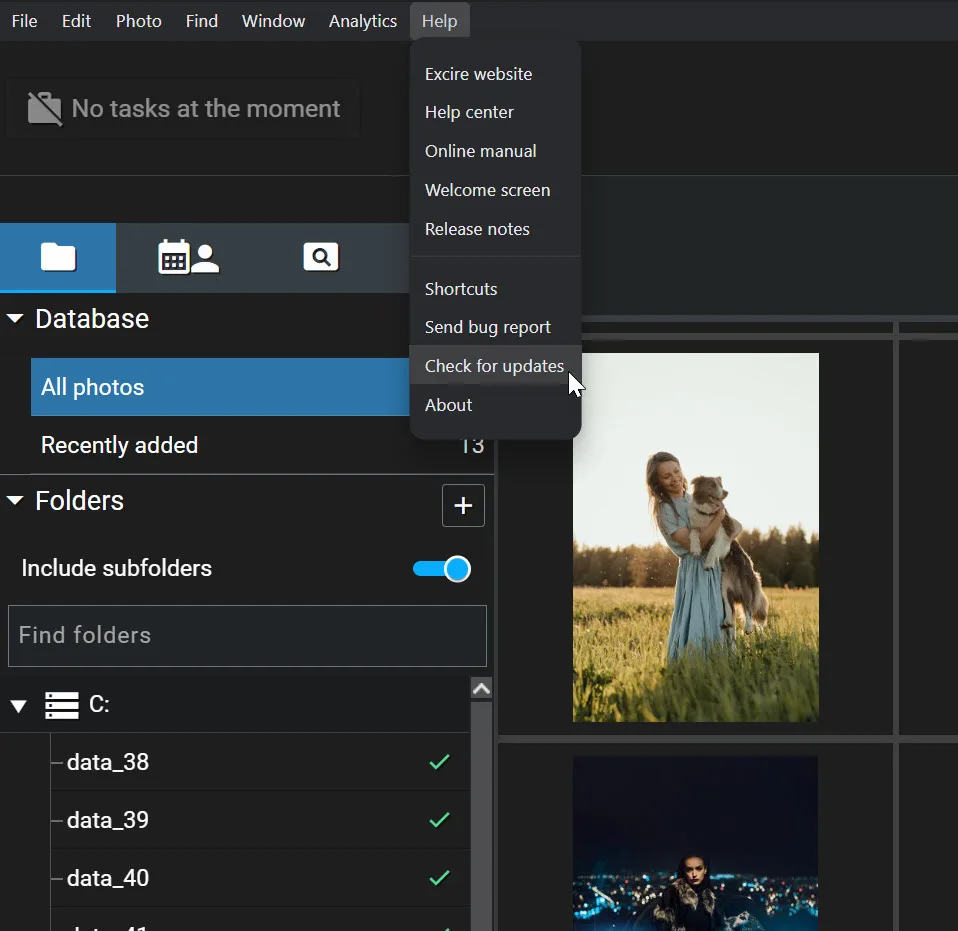
There’s no additional purchase or separate download required. And once the update is installed, you’ll be able to take advantage of the new capabilities.
Watch Our Video Tutorials
Want to see the new features in action?
We’ve added dedicated tutorials covering advanced video indexing and reverse geocoding to our YouTube playlist.
The videos demonstrate how the new tools work and how to start using them in your own photo and video library.
You can watch the video indexing video on our YouTube channel, or you can view it below:
And here’s the tutorial covering reverse geocoding:

We hope you enjoy the latest version of Excire Foto 2027. Whether you already own Foto 2027 or you’re encountering the program for the first time, we think the new features will make a huge difference!