

Tipps zur Fotoauswahl vom Profi!

Nach jedem Fotoshooting oder Urlaub ist es wichtig, eine sorgfältige Fotoauswahl zu treffen, um zu entscheiden, welche Fotos archiviert, in einer Ausstellung präsentiert oder für Instagram genutzt werden sollen. Eine Fotoverwaltungssoftware ist deshalb nicht nur für Profis empfehlenswert, sondern auch für Hobbyfotografen ein zeitsparendes Tool. Vor einer Weile bin ich nach Sri Lanka gereist. Ich […]
Excire Foto Test von PetaPixel: Klare Kaufempfehlung!PetaPixel testet Excire Foto

David Crewe von dem Fotomagazin PetaPixel hat den Excire Foto Test gemacht und eine klare Kaufempfehlung gegeben: „Sollten Sie es kaufen? Ja, wenn Sie eine umfangreiche Bibliothek mit mehreren zehn- oder sogar hunderttausend Fotos haben und diese Bibliothek durchsuchen können müssen.“ Er spricht seine Kaufempfehlung mehr für die professionellen User aus, aber Excire Foto 2022 […]

Excire Foto test from PetaPixel: clear buy recommendation!PetaPixel testet Excire Foto

Excire Foto Test David Crewe vom Foto-Magazin PetaPixel hat Excire Foto 2022 auf Herz und Nieren geprüft und eine klare Kaufempfehlung ausgesprochen: „Solltest du es kaufen? Ja, wenn du eine umfangreiche Bibliothek mit Zehntausenden oder sogar Hunderttausenden von Fotos hast und diese effizient durchsuchen möchtest.“ Seine Kaufempfehlung richtet sich zwar eher an professionelle Anwender, doch […]

Fotos organisieren – ganz easy für Fotokalender oder Fotobuch

Alle Jahre wieder … Der letzte Urlaub oder die Familienfeier liegt noch nicht lange zurück, und das Jahr neigt sich bereits dem Ende zu. »Fotos organisieren« ist jetzt in den dunklen Abendstunden deshalb die perfekte Beschäftigung, um die schönen Erinnerungen in ein Album zu legen oder bereits für das nächste Jahr einen Kalender daraus anzufertigen. […]
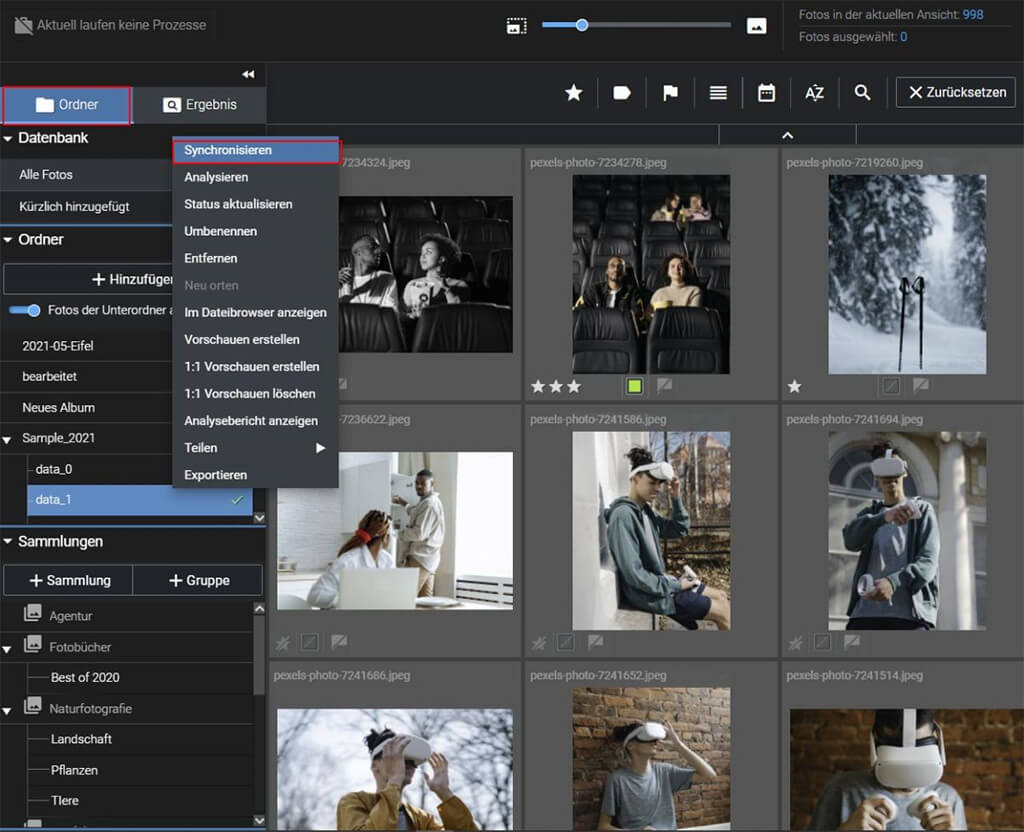
Excire Foto: Workflow Bildbearbeitung

Excire Foto ist die KI-gesteuerte Software zur Bildverwaltung und Bildsuche, die Ihnen viel Arbeit abnimmt, Ihre Fotos automatisch verschlagwortet und Ihr Bildarchiv durchsuchbar macht. Aber wie sieht es aus, wenn Sie Ihre Fotos bearbeiten möchten? Wie kann ein sinnvoller Workflow mit Excire Foto und einem externen Bildbearbeitungsprogramm aussehen? Wie ein „Workflow Bildbearbeitung“ mit Excire aussehen […]
Free update for Excire Foto 2022 brings new functions

Lange Herbstabende sind die Gelegenheit, Fotos zu sichten, das Bildarchiv aufzuräumen oder Fotos für kreative Projekte wie Fotokalender oder Fotobücher zusammenzustellen. Mit der KI-gesteuerten Bildverwaltung Excire Foto geht das ganz schnell und intuitiv und macht auch noch Spaß. Für Excire Foto 2022 gibt es jetzt es ein kostenloses Update, das die Bildverwaltung mit der KI-gestützten Software noch komfortabler […]

Excire als KI-Juror bei 48. Blende-Fotowettbewerb

Diese Woche ist der 48. Blende-Fotowettbewerb – Deutschlands größter Fotowettbewerb in Kooperation mit Print- und Online-Medien gestartet ­– und Excire ist als Juror mit dabei! In dem „Sonderpreis KI by Excire“ werden die 10 besten eingereichten Beiträge gekürt. Bilder sind nicht nur aus objektiven Gesichtspunkten heraus zu bewerten – sie sind vor allem Geschmackssache. Genau dieser […]
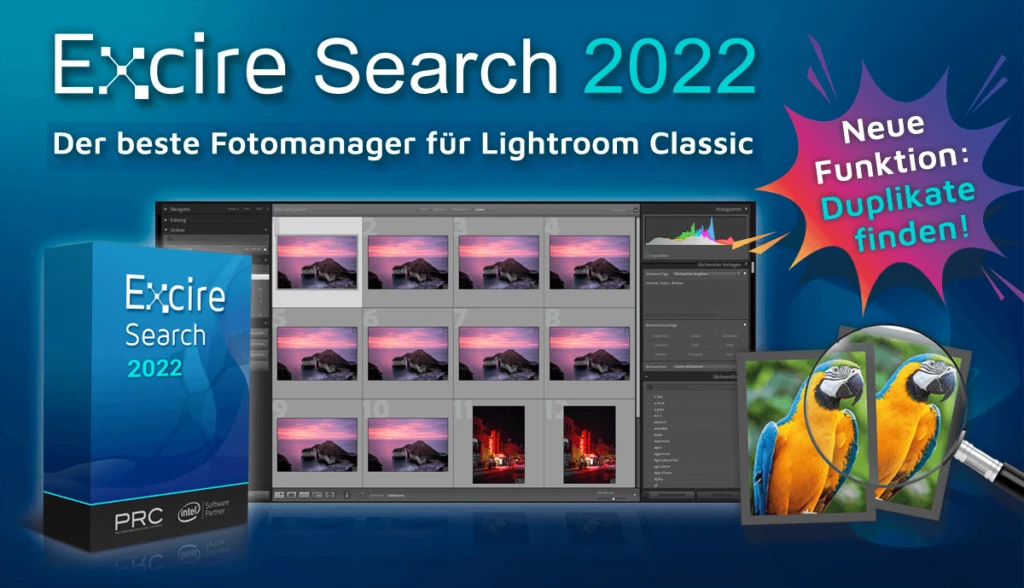
Lightroom plugin Excire Search 2022 now also with duplicate finder

Nachdem wir Excire Foto 2022 mit integriertem Duplikatefinder vorgestellt hatten, haben sich viele Lightroom Anwender:innen gewünscht, dass wir diese Funktion auch in das Lightroom-Plugin Excire Search integrieren. Heute ist es soweit: Wir freuen uns, Ihnen das neue Excire Search 2022 mit Duplikatefinder vorstellen zu können. Und ein paar weitere Optimierungen haben wir auch eingebaut. Duplikate finden leicht […]

Excire photo in the new DOCMA

In der aktuellen Ausgabe der DOCMA, dem Magazin für Bildbearbeitung, gibt es neben vielen weiteren interessanten und spannenden Artikeln einen Beitrag zu Excire Foto.

Raw Academy tests Excire photo

Thomas Hintze hat auf seinem YouTube-Kanal der Raw Akademie unsere neueste Software Excire Foto einem ersten Test unterzogen.

Excire Foto Office Edition

The Excire Photo Office Edition is a special solution for companies and team use. In addition to the usual AI power for simple and intuitive photo management, it has the following additional features:

  • Hide option for irrelevant keywords
  • Function to adopt folder names as keywords
  • Sharing via SFTP
  • Two-stage role concept
  • Right-of-use period as a supplement to the metadata and corresponding filter option
  • Shared database on a network drive

Language & version

Supported languages

German & English

Current version

1.2.5

Minimum system requirements

Processor

Mehrkernprozessor mit 64-bit und AVX Unterstützung
Multi-core processor with 64-bit and AVX support. Older AMD processors like the AMD Phenom™ II X6 1100T and AMD Phenom™ II X (also known as AMD Athlon II X4 640) are not supported. Intel Core 2 Duo processors are not supported.

Operating system

Windows 11 (x86 & 64-bit). Note: The Windows version is not optimized for Snapdragon or ARM processors.

Memory

Minimum 8GB RAM is required. However, 16GB or more is recommended.

Hard disk

The Excire databases require about 250 MB for 100,000 photos.
The preview storage will then be about 25 GB
at the highest quality, including raw formats,
and when a preview is generated for each photo.

Excire Search 2024 - Trial

Language & version

Supported languages
German, English, French, Italian & Spanish
Current version

4.0.0

Minimum system requirements

Processor
Multicore processor with 64-bit and AVX support Older AMD processors like AMD Phenom(tm) II X6 1100T and AMD Phenom(tm) II X (also known as AMD Athlon II X4 640) are not supported. Intel Core 2 Duo processors are not supported.
Operating system
macOS 10.14 (or newer) or Windows 10 (64-bit) or Windows 11 (64bit)
Memory
8GB RAM. However, for large catalogs (> 100,000 photos) we recommend 16GB or more
Hard disk
375 MB of free hard disk space for the base installation and additional memory for image signatures. For example, an Adobe Lightroom catalog of 100,000 images requires about another 800 MB of additional memory.

Excire Search 2024

Excire Search is the perfect solution for all Adobe Lightroom Classic users. The smart Lightroom plugin analyzes and tags photos automatically and extends Lightroom with powerful AI search functions. With just a few clicks, Excire Search finds exactly the photos you are looking for. This makes image management fun again and hours of image searching a thing of the past. 

Available for Windows and macOS and now brand new in the 2024 version with integrated duplicate finder!

Language & version

Supported languages
German, English, French, Italian & Spanish
Current version

4.1.3

Minimum system requirements

Processor
Multicore processor with 64-bit and AVX support Older AMD processors like AMD Phenom(tm) II X6 1100T and AMD Phenom(tm) II X (also known as AMD Athlon II X4 640) are not supported. Intel Core 2 Duo processors are not supported.
Operating system
macOS 10.14 (or newer) or Windows 10 (64-bit) or Windows 11 (64bit)
Lightroom (Classic)
Version 6 (or newer)
Memory
8GB RAM. However, for large catalogs (> 100,000 photos) we recommend 16GB or more
Hard disk
375 MB of free hard disk space for the base installation and additional memory for image signatures. For example, an Adobe Lightroom catalog of 100,000 images requires about another 800 MB of additional memory.

Excire Search 2022 - Trial

Language & version

Supported languages
German, English, French, Italian & Spanish
Current version
3.1.1

Minimum system requirements

Processor
Multicore processor with 64-bit and AVX support Older AMD processors like AMD Phenom(tm) II X6 1100T and AMD Phenom(tm) II X (also known as AMD Athlon II X4 640) are not supported. Intel Core 2 Duo processors are not supported.
Operating system
macOS 10.14 (or newer) or Windows 10 (64-bit) or Windows 11 (64bit)
Memory
8GB RAM. However, for large catalogs (> 100,000 photos) we recommend 16GB or more
Hard disk
375 MB of free hard disk space for the base installation and additional memory for image signatures. For example, an Adobe Lightroom catalog of 100,000 images requires about another 800 MB of additional memory.

Excire Foto 2024 - Trial

Note for existing Excire Foto customers: Excire Foto users have to keep in mind for testing that the previous Excire database will be modified when the program is started for the first time. Thus a switch back to older versions is not possible without a backup. We therefore recommend creating a backup before using Excire Foto 2024. How to do this is described here.

Language & version

Supported languages
German & English
Current version

3.2.0

Minimum system requirements

Processor
Multi-core processor with 64-bit and AVX support Older AMD Prozessoren like AMD Phenom(tm) II X6 1100T und AMD Phenom(tm) II X (also known as AMD Athlon II X4 640) are not supported. Intel Core 2 Duo processors are not supported.
Operating system
macOS 10.14 (or newer) or Windows 10 (64-bit) or Windows 11 (64bit)
Memory
Minimum 8GB RAM is required. However, 16GB or more is recommended.
Hard disk
The Excire Foto databases will take up approx. 250MB for 100,000 photos, and the previews approx. 25GB if highest-quality previews are generated for each photo.

Excire Search 2022

Excire Search is the perfect solution for all Adobe Lightroom Classic users. The smart Lightroom plugin analyzes and tags photos automatically and extends Lightroom with powerful AI search functions. With just a few clicks, Excire Search finds exactly the photos you are looking for. This makes image management fun again and hours of image searching a thing of the past. 

Available for Windows and macOS and now brand new in the 2022 version with integrated duplicate finder!

Language & version

Supported languages
German, English, French, Italian & Spanish
Current version
3.1.1

Minimum system requirements

Processor
Multicore processor with 64-bit and AVX support Older AMD processors like AMD Phenom(tm) II X6 1100T and AMD Phenom(tm) II X (also known as AMD Athlon II X4 640) are not supported. Intel Core 2 Duo processors are not supported.
Operating system
macOS 10.14 (or newer) or Windows 10 (64-bit) or Windows 11 (64bit)
Lightroom (Classic)
Version 6 (or newer)
Memory
8GB RAM. However, for large catalogs (> 100,000 photos) we recommend 16GB or more
Hard disk
375 MB of free hard disk space for the base installation and additional memory for image signatures. For example, an Adobe Lightroom catalog of 100,000 images requires about another 800 MB of additional memory.

Excire Foto 2024

Excire’s flagship program boasts dazzling new features and enhanced AI technology. All-new tools offer AI-powered free-text search, GPS-search, and intelligent aesthetics assessment of individual photos. Additionally, AI upgrades ensure better results in facial recognition, similarity search, and automatic keywording.

Excire Foto 2024 retains all core features from Excire Foto 2022, and the Excire Analytics extension is now fully integrated into the new program.

Highlights of the 2024 version include:

  • X-prompt AI for powerful free-text image search
  • X-tetics AI for instant evaluation of photos
  • GPS-based search and editable GPS coordinates
  • Intuitive slideshow maker for professional photo displays
  • New status labels for folders and collections
  • Improved AI-search performance thanks to revamped AI models

Excire Account Management and Activation

Language & version

Supported languages
German & English
Current version

3.2.0

Minimum system requirements

Processor
Multi-core processor with 64-bit and AVX support Older AMD Prozessoren like AMD Phenom(tm) II X6 1100T und AMD Phenom(tm) II X (also known as AMD Athlon II X4 640) are not supported. Intel Core 2 Duo processors are not supported.
Operating system
macOS 10.14 (or newer) or Windows 10 (64-bit) or Windows 11 (64bit)
Memory
Minimum 8GB RAM is required. However, 16GB or more is recommended.
Hard disk
The Excire Foto databases will take up approx. 250MB for 100,000 photos, and the previews approx. 25GB if highest-quality previews are generated for each photo.

Excire Foto 2022

Excire Foto 2022 is a powerful and innovative software designed for easy photo management and quick content-based browsing. Numerous smart features help you get organized and find the photos you are looking for.

These are the highlights of the new 2022 version:

  • Duplicate finder with numerous setting options
  • Support of PSD files
  • match accuracy for similarity searches is now adjustable
  • the maximum number of search results has been increased to 50,000
  • Support of Windows network paths


We recommend Windows users to install the Microsoft Raw image extension: Download

Language & version

Supported languages
German & English
Current version

2.2.4

Minimum system requirements

Processor
Multi-core processor with 64-bit and AVX support Older AMD Prozessoren like AMD Phenom(tm) II X6 1100T und AMD Phenom(tm) II X (also known as AMD Athlon II X4 640) are not supported. Intel Core 2 Duo processors are not supported.
Operating system
macOS 10.14 (or newer) or Windows 10 (64-bit) or Windows 11 (64bit)
Memory
Minimum 8GB RAM is required. However, 16GB or more is recommended.
Hard disk
The Excire Foto databases will take up approx. 250MB for 100,000 photos, and the previews approx. 25GB if highest-quality previews are generated for each photo.