Excire Blog
The 5 Best Photo Organizers With Facial Recognition in 2026
As a photographer with over a million files in my image library, I get it:
Manually organizing photos of people – whether professional portraits, casual family photos, or anything in between – is a tough and time-consuming process. And hunting down an image of a specific person from within an image database? It’s like searching for a needle in a haystack.
That’s where facial-recognition technology comes to the rescue. It takes these tedious tasks and makes them partially or fully automatic so you can identify, categorize, tag, search for, and retrieve images of specific people in just a few seconds.
I’ve spent a combined 35 hours testing AI-powered photography software, all in search of the best photo organizer with facial recognition. Below, I share my top five choices, including software for beginners, experts, and users on a budget. I also explain who can benefit from each program; that way, by the time you’re finished reading, you know precisely which software will meet your requirements.
Ready to streamline that image-management workflow with the power of facial recognition? Let’s dive right in!
1. Excire Foto 2027 – The Most Powerful Photo Organizer With Facial Recognition
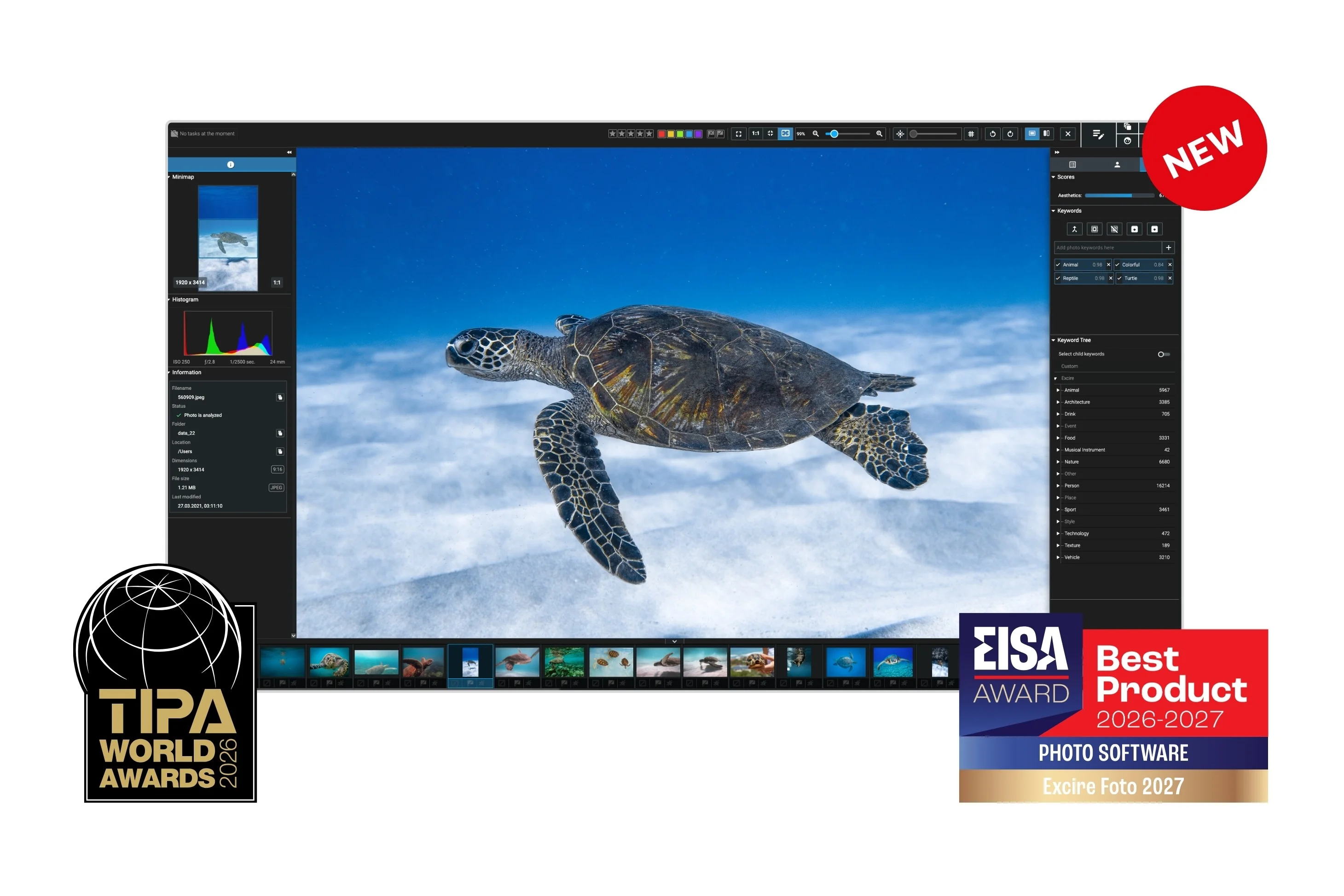
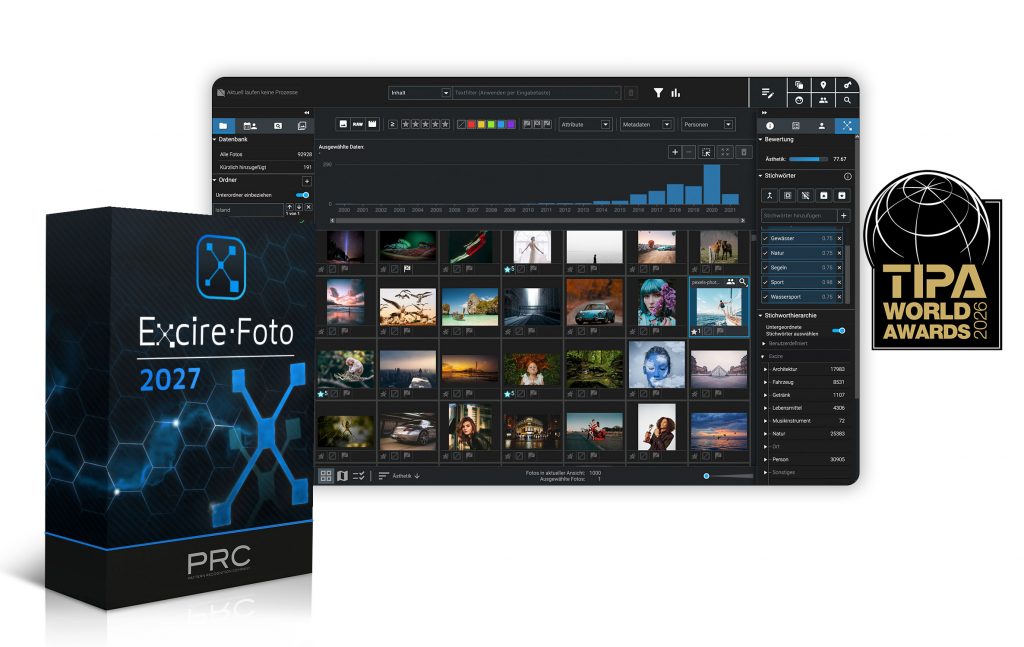
Excire is a Windows- and Mac-compatible desktop application that combines AI with image management for a faster, smoother, simpler workflow. The AI runs locally, which means you don’t have to worry about privacy, and each new version brings even more powerful tools to help you find, organize, and cull your catalog – including an ever-expanding set of facial-recognition tools.
I’ve used Excire’s software for years, but Excire Foto 2027 is on another level. Not only does it contain the genuinely revolutionary AI search and keywording features available in previous versions, but you get powerful new features, too. There’s Map View so you can geographically browse your shots; Smart filters so you can cut through the noise and find what you’re after; and a new focus peaking overlay so you can evaluate image sharpness at a glance.
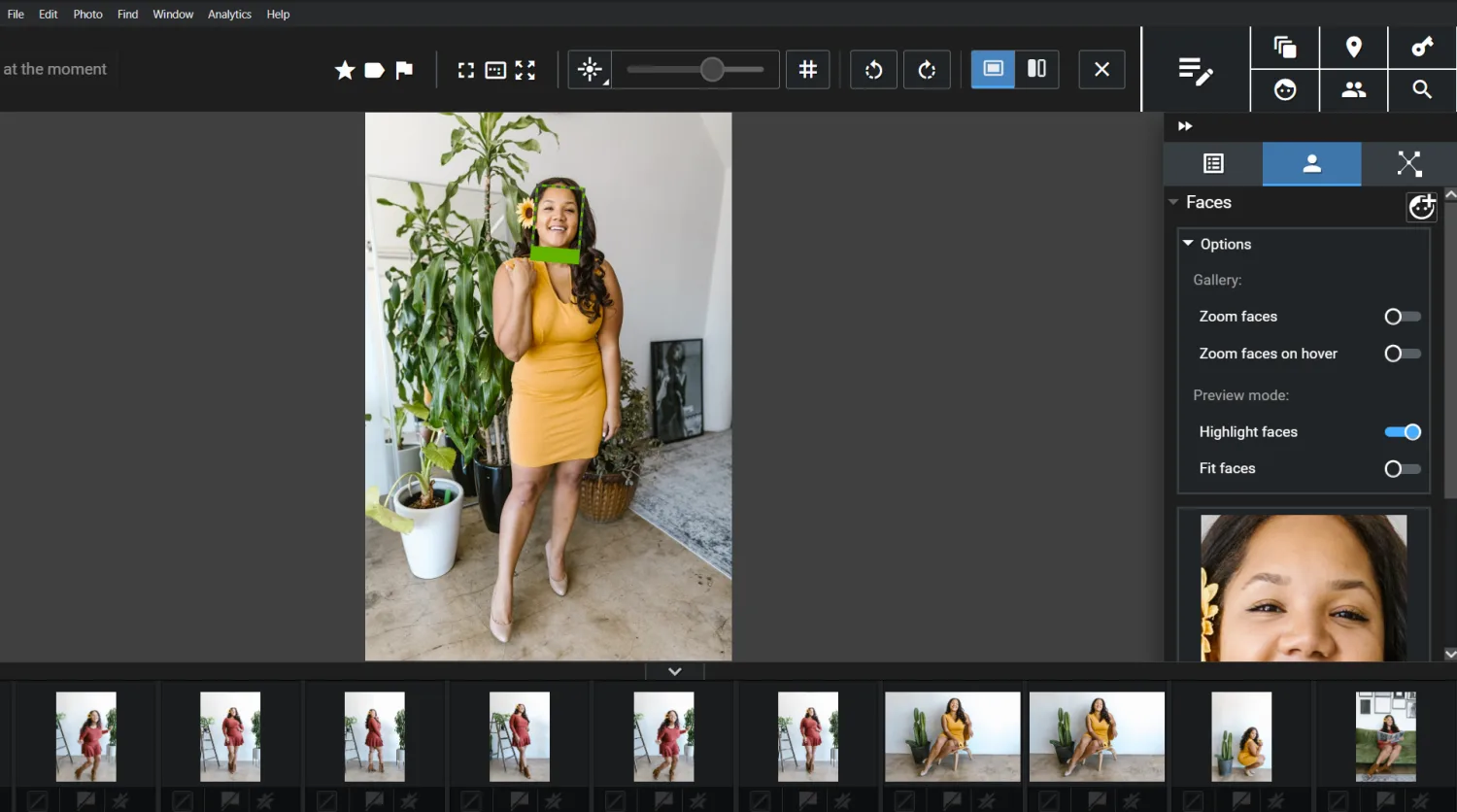
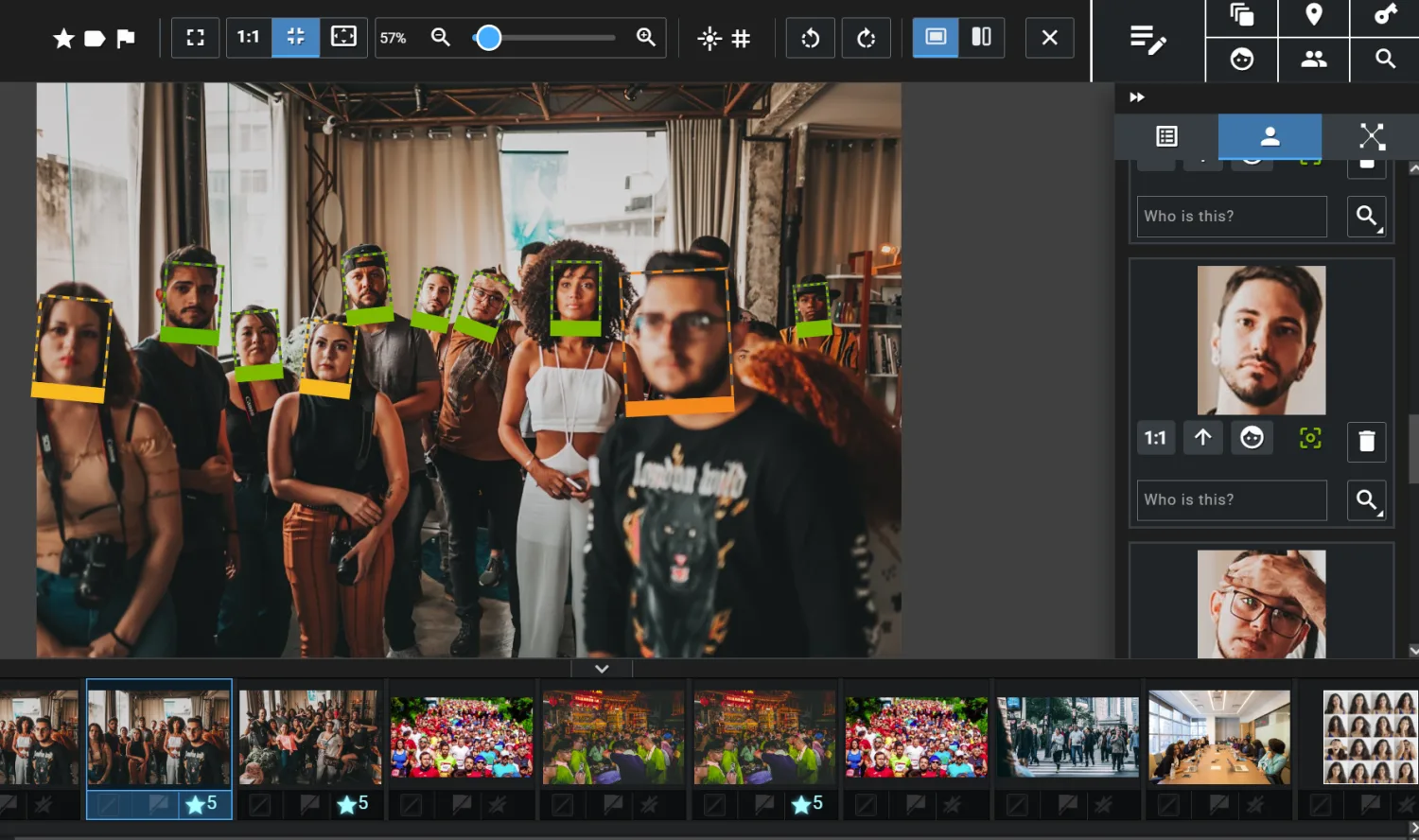
Excire Foto 2027’s facial recognition is top-notch. The Find People and Find Faces tools make it ridiculously easy to retrieve files from deep within your image database, and they’re remarkably fast, too; once you’ve completed the initial analysis phase, each search takes no more than a second or two. The software allows you to tag faces for easier organization, and you can add names as keywords, too.
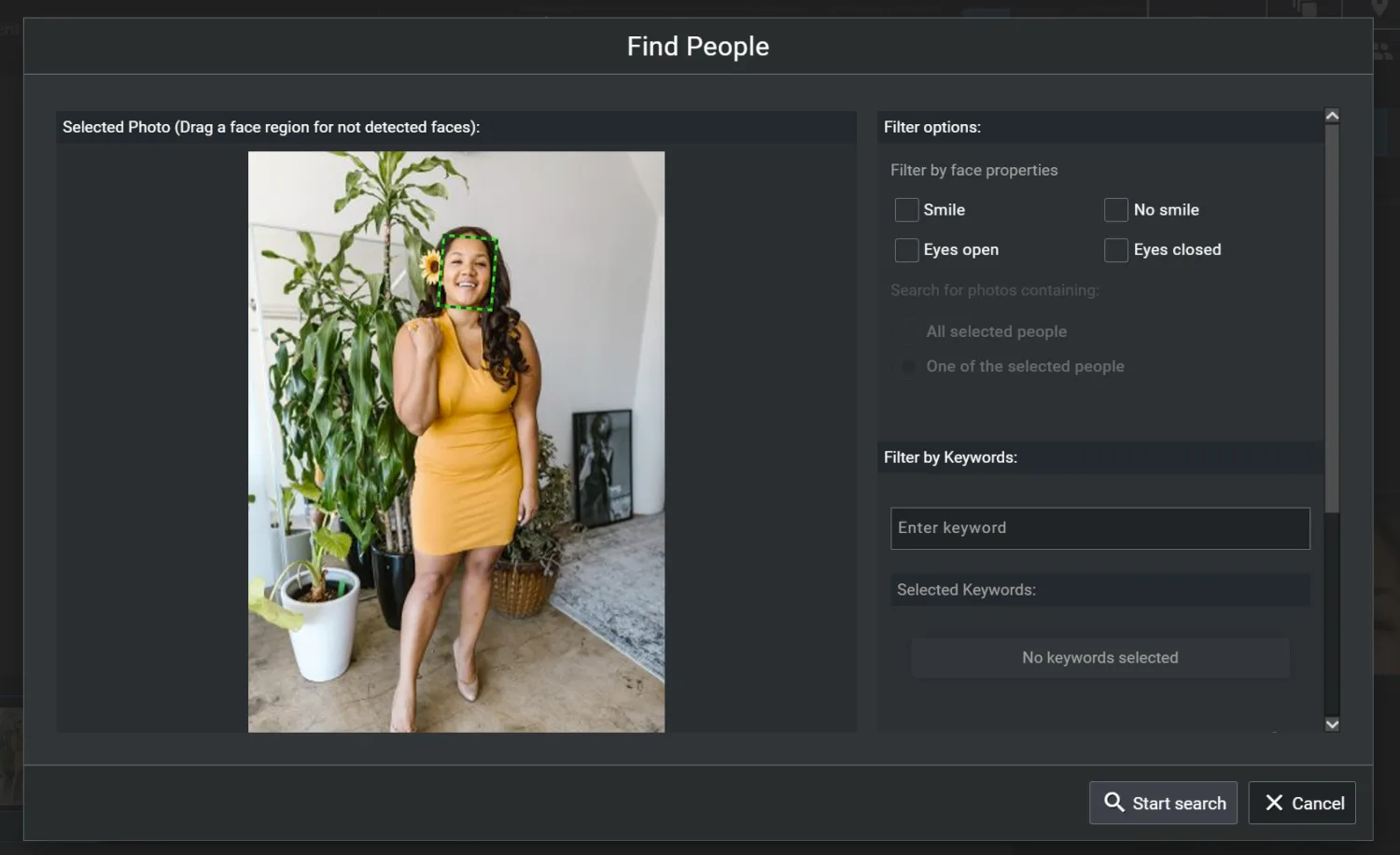
Excire’s other AI-powered image organization features will massively speed up your workflow, and they’re so easy to use. Find by Text Prompt, for instance, can instantly retrieve practically any photo from within your image library (including, but not limited to, people and portrait photos), and it only requires a simple text description to get started.
It doesn’t matter whether you’re an enthusiast or a serious pro; if you’re after a great photo-management program that includes facial recognition and will save you plenty of time behind the computer, Excire Foto 2027 is a stellar pick. The biggest drawback is the lack of editing features, though the program is easily set up alongside an editor like Skylum Luminar Neo, and dedicated Lightroom Classic users can always use the Excire Search 2026 plugin instead, which brings many of the same features into Lightroom.
2. Google Photos – The Best Image Manager With Facial Recognition for Beginners

Google Photos is a beginner-friendly photo-management program that’s offered in two forms: as an in-browser application and as an app (available for both Android and iOS users). I use it regularly, and I’m always impressed by the easy workflow, which makes it a great choice for beginners.
Simply upload your images, and Google will use powerful algorithms to group photos in various ways: by places, by document types, by things, and by both people and pets. Once Google has categorized your files, you can scroll through its automatically generated – and continuously updating – collections to find the images you’ve captured, or you can use the search bar to quickly hone in on photos with certain characteristics.
The facial-recognition technology is solid; not only does Google’s photo organizer do a good job of identifying specific people and automatically grouping them correctly, but it also makes it easy for you to add name tags that can then be used when searching for or organizing photos that contain specific people. And pet faces can be recognized and named, as well (even if the results aren’t quite as reliable as the human facial-recognition tools!).
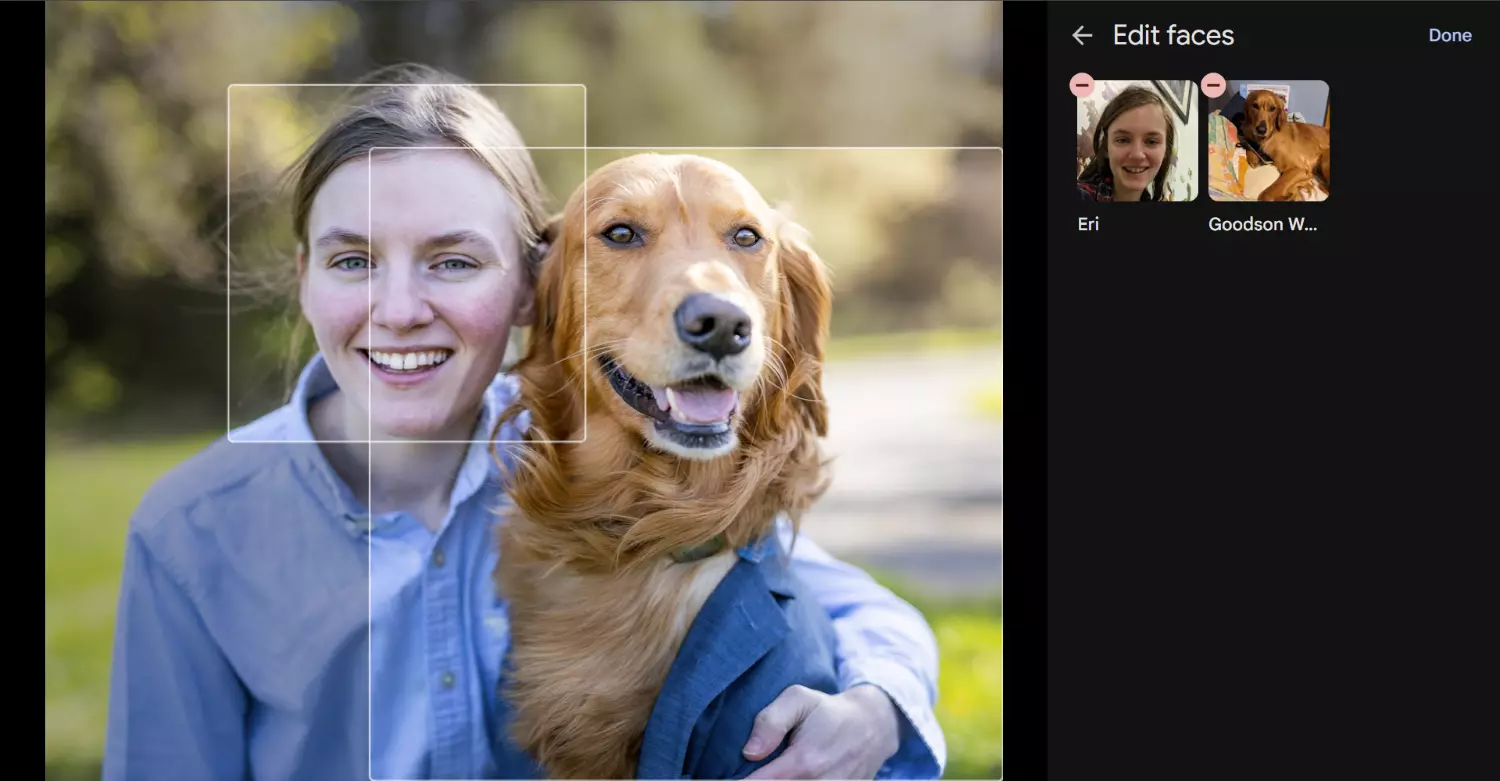
In addition to these features, Google Photos includes basic photo-organization options, including Albums (so you can manually group images into folders by genre, subject, date, etc) and Favorites (so you can designate your best shots). The program even includes photo-editing features, though the tools aren’t very comprehensive, and if you’re looking to make serious edits that enhance your images, I’d really recommend a dedicated photo editing program instead.
One downside to Google Photos is the lack of a desktop app; relatedly, the software stores all uploaded images in the cloud, which comes with security concerns as well as ongoing expenses. While a standard Google account comes with 15 GB of free storage space (which includes Photos, but also Gmail and Drive), you’ll need to pay a monthly fee if you want to go any higher. If you have a 200 GB photo collection, for instance, you’ll spend $2.99/month, while a 2 TB plan will set you back 9.99/month. It’s not hugely pricey, and I became a paid subscriber a long time ago, but the monthly bills certainly add up over time.
I’ve used Google Photos for over seven years now, but only for my smartphone images. I certainly recommend the facial-recognition features for casual photographers seeking an easy way to store and retrieve photos of family members, friends, and pets with minimal fuss. However, its image-organization features are seriously lacking in sophistication, and the cloud-based approach can get pricey with photo collections (especially beyond 200 GB), so if you’re looking to manage a large collection of images and require moderate flexibility, I’d encourage you to look at an effective Google Photos alternative, such as Excire Foto 2027 (above).
3. ACDSee Photo Studio 2027 – The Best All-in-One Photography Software With Facial Recognition
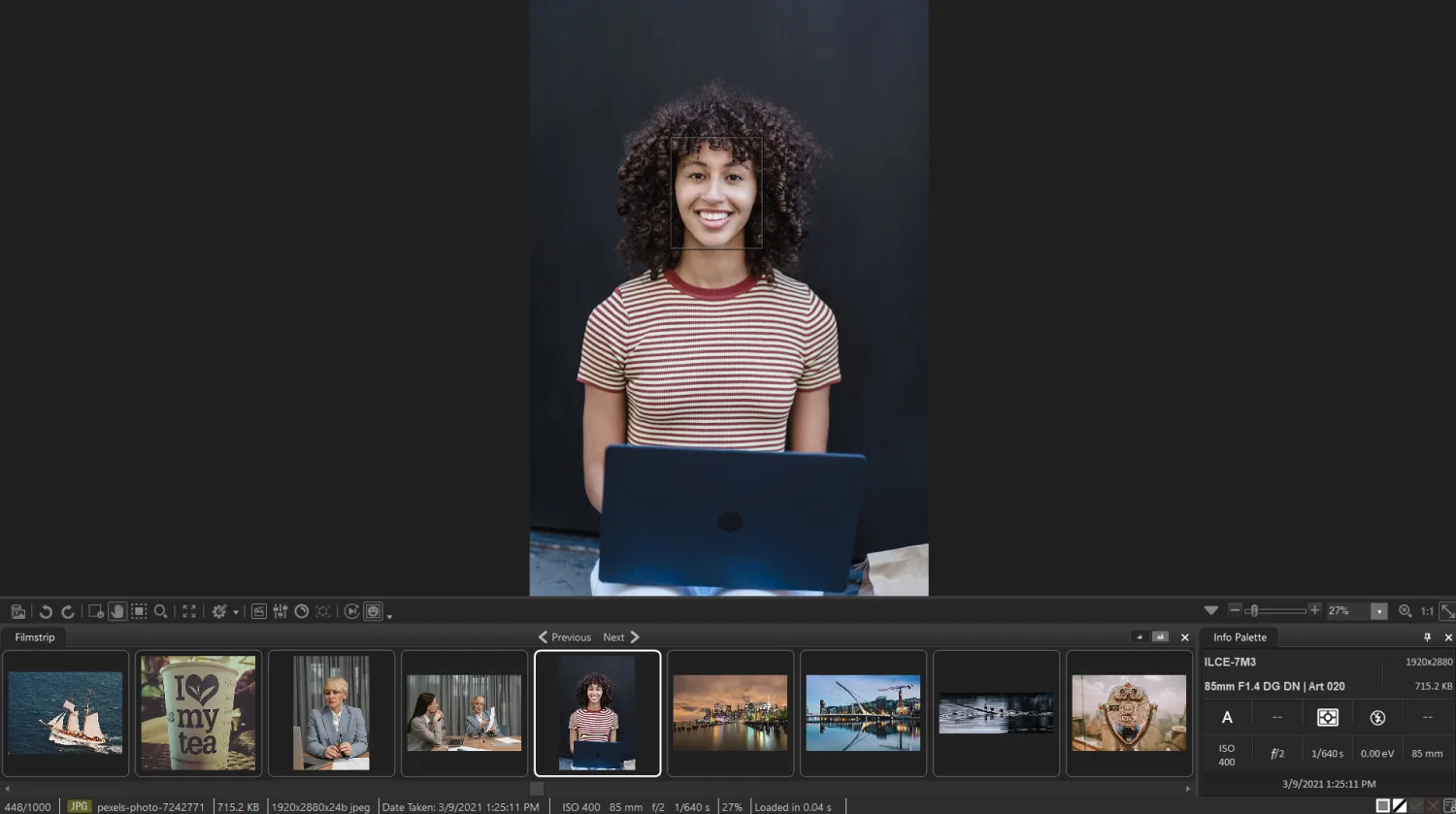
When searching for image-organization software, ACDSee Photo Studio is frequently passed over in favor of more mainstream programs such as Lightroom Classic. I think this is a huge mistake.
Photo Studio is an all-in-one program that combines photo management and image organization into a powerful product, and while ADCSee’s interface does lack flair, the program packs a big punch thanks to some outstanding editing features (including advanced tools for color grading, layering, and masking) as well as robust DAM features that can handle large image collections with ease.
ACDSee Photo Studio boasts all the image-management basics (ratings, color labels, picks, etc.), and unlike many image managers, you don’t need to spend time uploading your files to Photo Studio; the program accesses your desktop folders directly, which you can then review in the ACDSee Folder panel for a more convenient workflow.
But what makes ACDSee Photo Studio 2027 especially noteworthy are the AI-powered tools. The program offers a robust facial recognition that groups photos by face, and while I don’t think the face-tagging features are as accurate as Excire’s or as intuitive as Google’s, I do appreciate the option to apply names to faces and the automatic naming suggestions, which are easy to confirm or reject en masse. You can organize large batches of people photos with minimal effort, even if the design isn’t exceptionally well-polished.
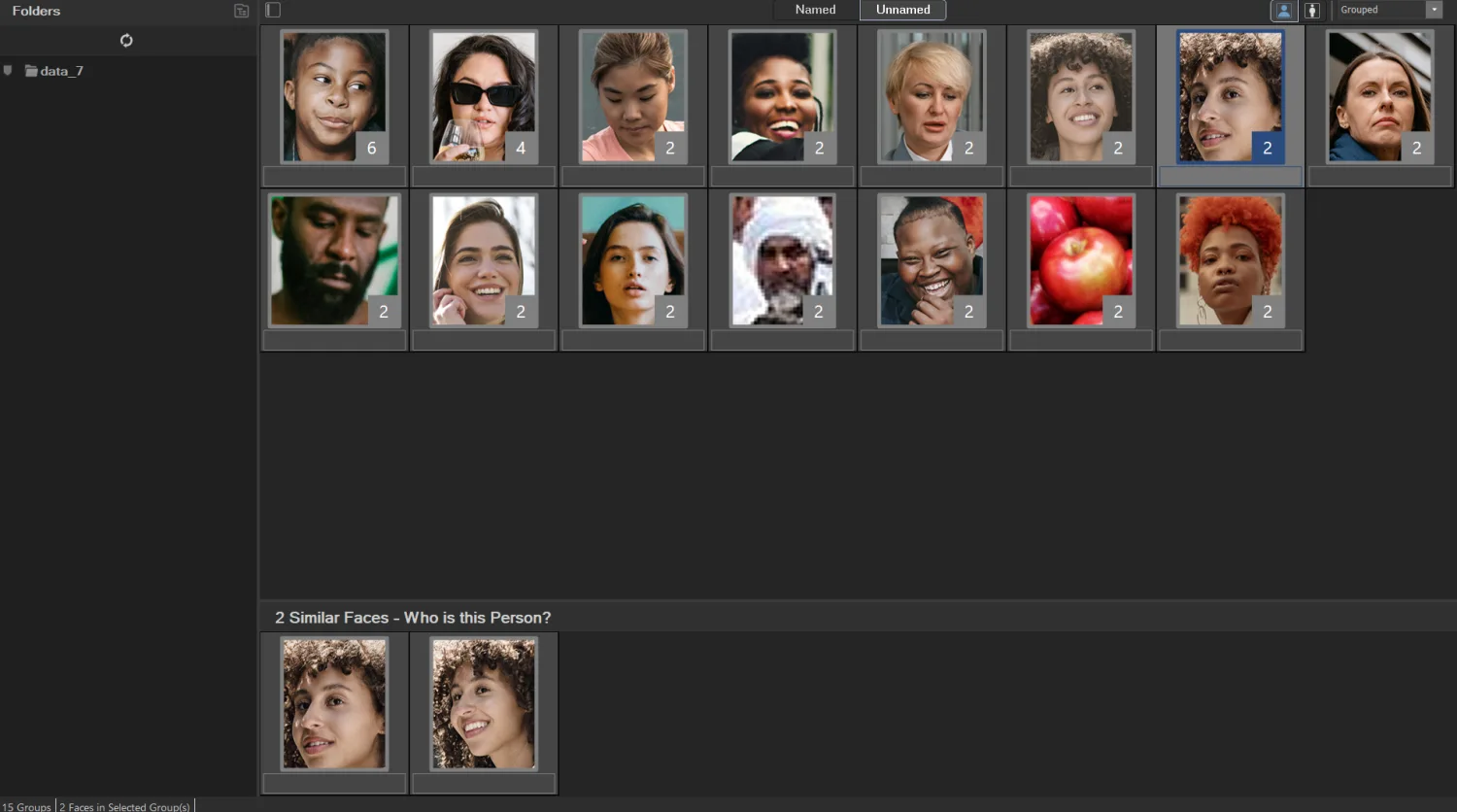
It’s also worth noting that the more feature-rich versions of the program – Photo Studio Professional and Photo Studio Ultimate – offer an AI-keywording tool that automatically tags your photos with relevant keywords. I’ve tested this feature a few times over the years, and it’s still not as accurate or as useful as I’d like it to be, but that doesn’t mean you shouldn’t try it yourself. There’s also a new AI similarity grouping feature, and while I’ve been disappointed by the lack of consistent usefulness in my tests, you may find it acceptable for your purposes.
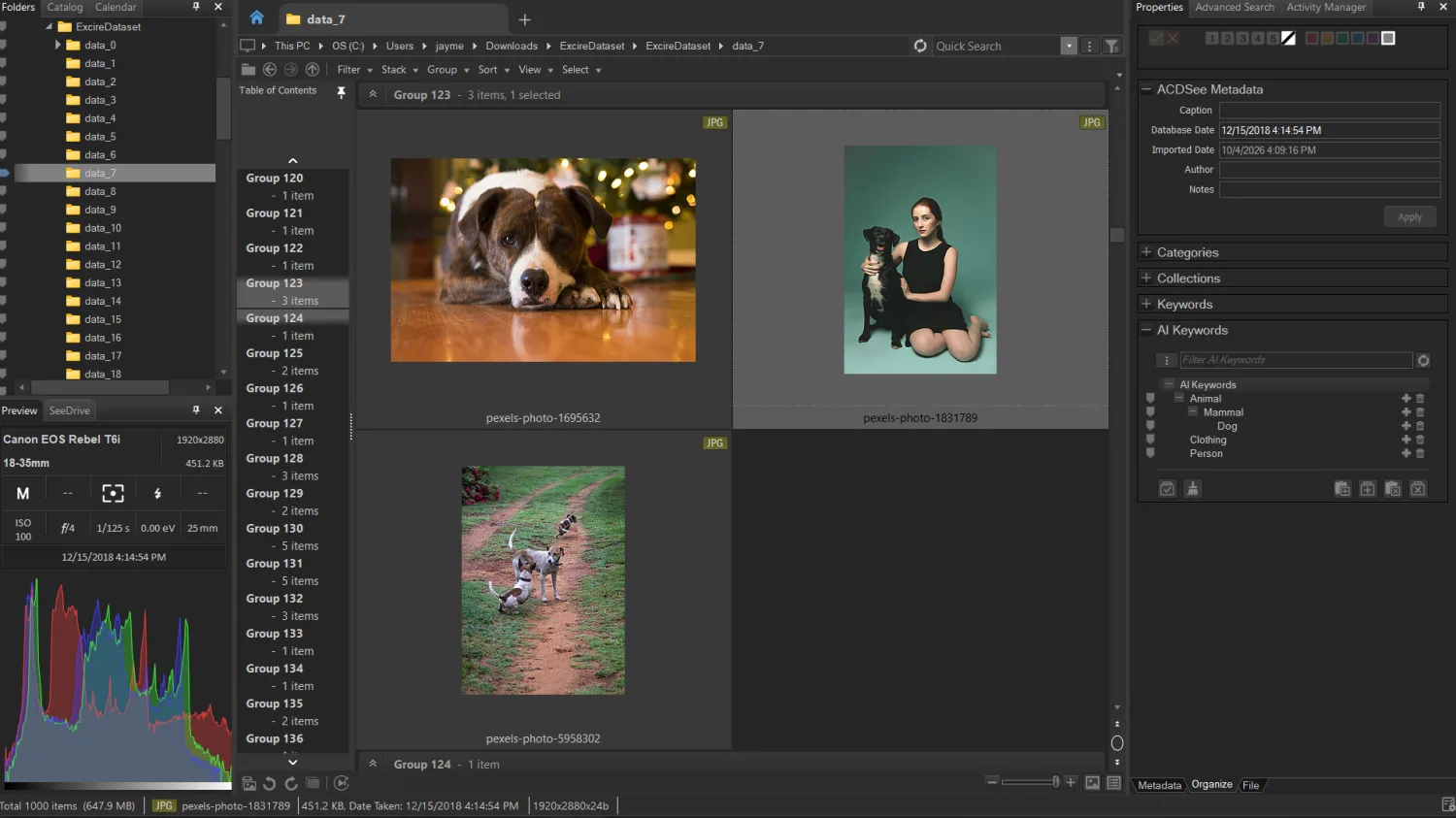
While ACDSee Photo Studio 2027 may not be the flashiest program on the market, its powerful features and comprehensive toolkit make it a solid all-around pick for beginners, enthusiasts, and even professionals. Unfortunately, the most talked-about program versions – Home, Professional, and Ultimate 2027 – are only Windows-compatible. However, Mac users do have the option to purchase a different version of the program – Photo Studio for Mac 26 – which includes the facial-recognition software as well as plenty of other powerful features.
And given the huge amount of features, ACDSee’s pricing is pretty good: You can grab the most expensive version of the software, Photo Studio Ultimate 2027, for $179 (as a one-time fee).
4. DigiKam – The Best Free Photo Organizer With Facial Recognition
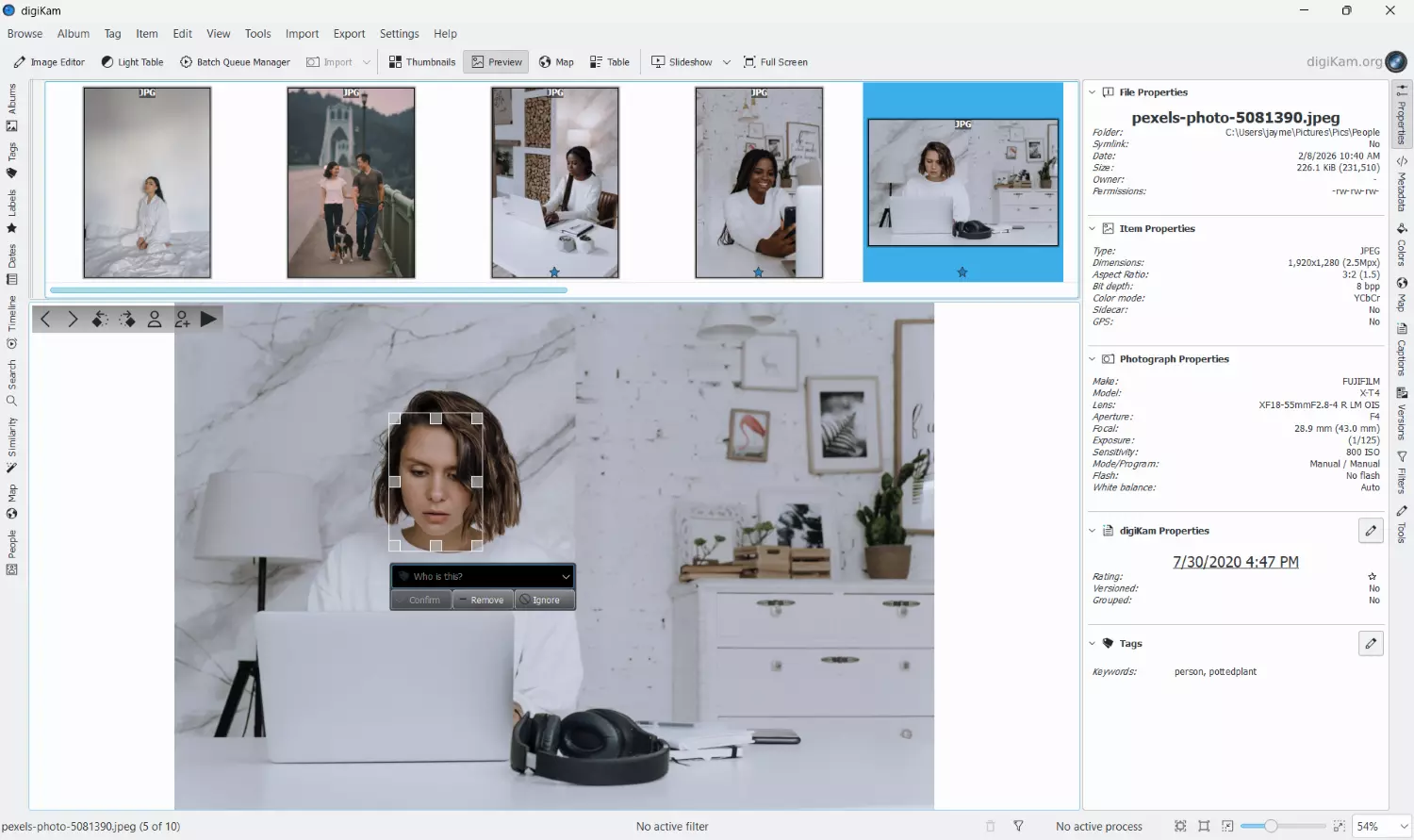
If you’re on the hunt for the best free image organizer that includes facial-recognition tech, look no further than DigiKam, an open-source desktop program available for Mac, Windows, and Linux computers.
I’ve tested several versions of the software at length (most recently DigiKam 9), and it’s clear that DigiKam is a solid program that includes a slew of options for high-level image management. You can easily group photos, apply star ratings, apply tags, and view images by date. There’s also a facial-recognition tool that first scans your selected collections for faces, allows you to apply labels to a few individuals, and then auto-identifies the remaining people based on your indicated names. It’s not wildly accurate, but it’s usable. (The same is true of DigiKam’s AI tagging tool, which sometimes did a solid job recognizing objects and other times failed to notice the most basic image elements.)
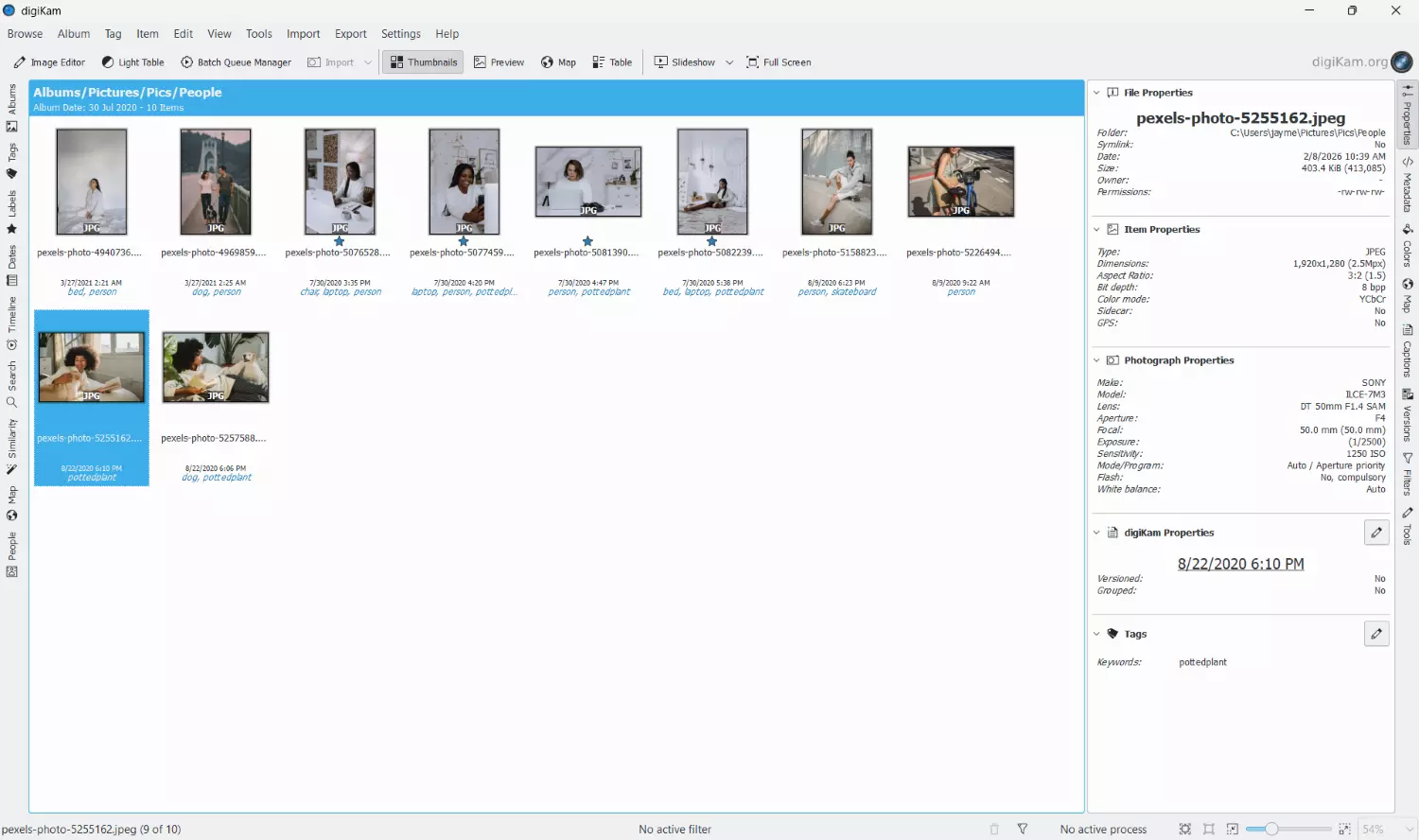
Compared to other programs on this list, however, DigiKam is unintuitive and clunky. The interface is very barebones and outdated, plus there’s just too much of everything: too many tools, too many modules, and too many details on display. If you’re already familiar with other image management programs, you’ll catch on after some practice, though you may struggle at first. But if you’ve never used DAM software before, you’ll need to put in a lot of work before you can confidently navigate DigiKam.
At the end of the day, DigiKam is a robust program that certainly includes some impressive features. If you require extreme customizability and you don’t mind putting in the time, or if you’re looking for free software that offers basic face-based categorization as well as other AI features, DigiKam is certainly worth a try. But if you’re a beginner, or you’re looking for a powerful program that’s also intuitive, I’d encourage you to spring for a program such as Excire Foto 2027 instead.
5. Adobe Lightroom Classic – The Best Comprehensive Photography Program With Facial Recognition Tools

Adobe Lightroom Classic is a hugely popular desktop-based program that combines moderately sophisticated editing features with high-level image organization options. While it’s not quite as intuitive as I’d like – especially when recommending software for beginners – Lightroom Classic is packed full of features, and you can import, categorize, cull, edit, and even print your images all from the same workspace.
I spend hundreds of hours per year managing my images in Lightroom Classic, and so I mean it when I say that it truly is an excellent program, especially if you require comprehensive image organization capabilities. Lightroom’s Library module offers hierarchical collections, color labeling, flagging, keywording, and more, and once you’re done with your image organization, you can head over to the Develop module to make adjustments – from simple exposure and white balance modifications to targeted color changes and custom vignetting.
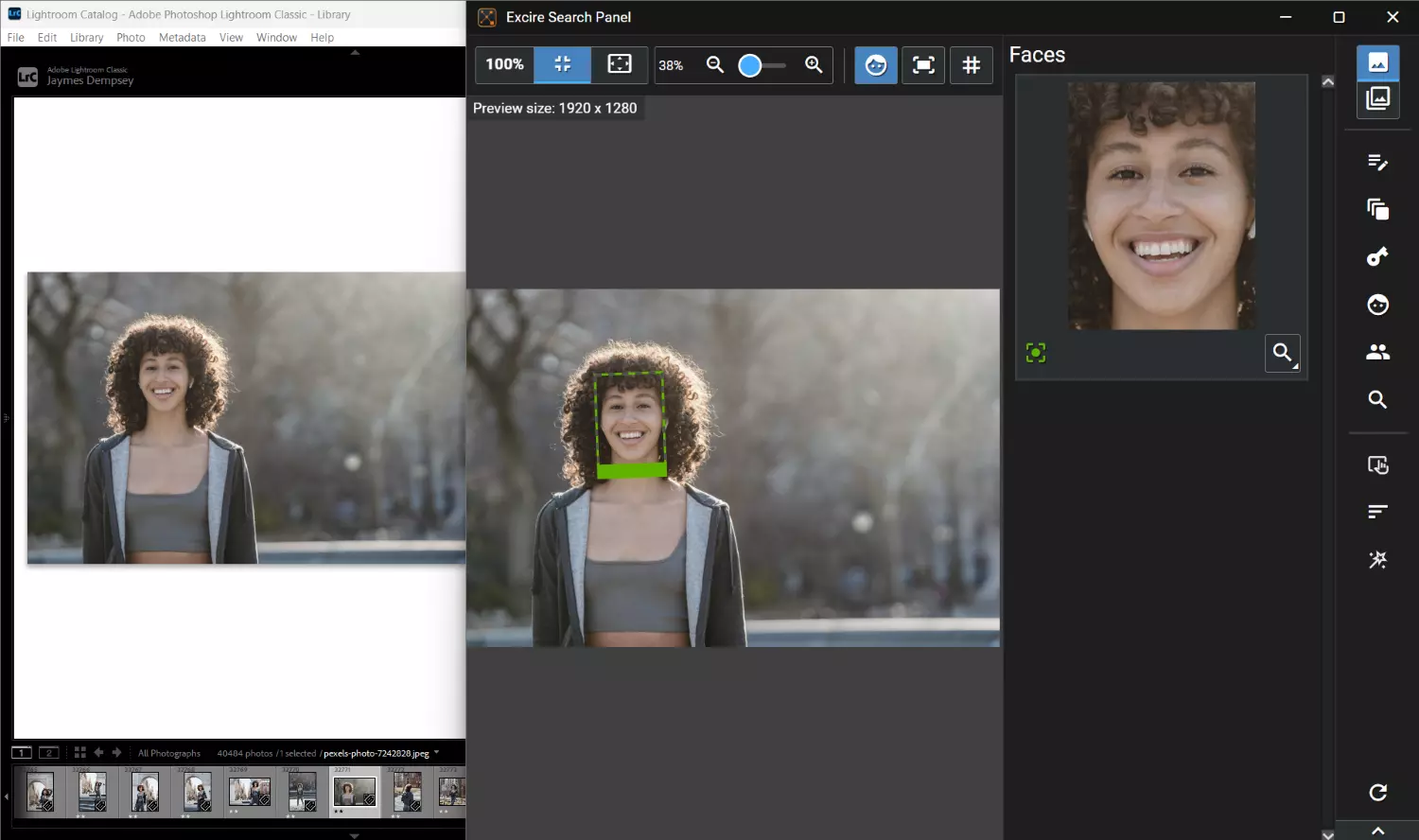
AI-powered image management isn’t a specialty of Adobe’s, and Lightroom Classic includes very few tools in this vein, but there is a facial-recognition feature that even seasoned Lightroom users often don’t know about; it groups photos based on faces, and then allows you to add names to identified photos. These names then become searchable keywords, which you can use to sort and retrieve images of people as needed.
Honestly, while Lightroom’s facial recognition is fairly easy to use, the accuracy can be a little poor, and the AI model takes a frustratingly long time to analyze image collections, which is a real problem for anyone looking to manage large files.
That said, if you want to carry out your entire photography workflow in a single program and you need face-based image organization tools, Lightroom’s built-in tools can get the job done. One note: If you can afford it, I’d recommend supplementing the program with Excire Search, the handy Lightroom plugin that brings Excire’s state-of-the-art facial-recognition software directly into the Lightroom interface. Plus, Excire Search 2026 introduces the Excire Search Panel, which makes it far easier to access the plugin’s tools while in Lightroom and includes automatic sharpness detection for faces.
Final Words
Each of the programs on this list offers powerful facial-recognition technology to help you effectively manage your image library. And the programs often come with additional selling points: deduplication technology, image-editing tools, aesthetic evaluations, automatic keywording, and more.
So which of the best image organizers with facial recognition is right for you?
Excire Foto 2027 is perfect for enthusiasts and professional photographers looking to get their image collections under control with cutting-edge AI, while Google Photos is an excellent choice for casual photo-snappers, especially those looking for a no-fuss approach to image management.
ACDSee Photo Studio 2027 is ideal if you’re looking for a package that combines a robust editor and impressive image-management capabilities; Adobe Lightroom Classic is also a good choice, though if you go in this direction, I’d really recommend supplementing Adobe’s facial-recognition algorithms with the Excire Search 2026 plugin. Finally, if you’re just getting started and can’t afford any paid photo organizers, DigiKam is a reasonably effective free image manager, though its AI tools can be frustratingly inconsistent.
So pick a program that feels right, give it a try, and enjoy the power of facial recognition!

About the author
Jaymes Dempsey is an award-winning photographer and educator with over 16 years of experience across a wide range of genres, including bird, macro, landscape, street, and architectural photography. Based in Southeast Michigan, Jaymes serves as the Marketing Director for North America at Excire. He is passionate about helping photographers get—and stay—organized using AI-powered software. To explore Jaymes’s nature photography, visit his website. You can find his latest street and documentary work in his Michigan Spaces portfolio.