
Excire Foto 2027
Award-winning photo and video management software. Driven by a passion for photography.
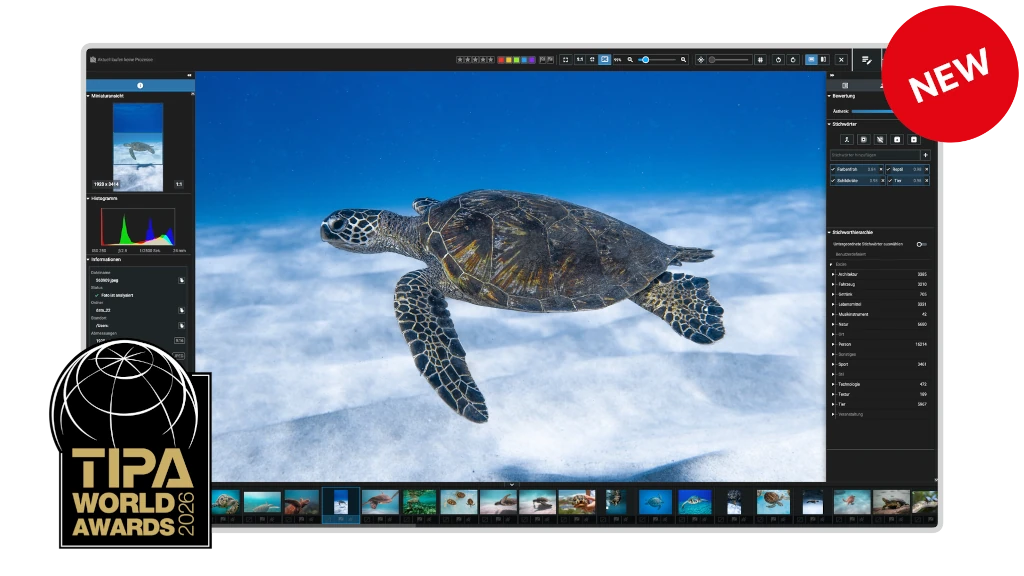






Rediscover your photos
Every photo is more than just a file. It captures a moment, tells a story, and holds lasting emotional value. With Excire Foto 2027 you can access your images quickly and effortlessly, no matter the size of your photo collection.
- For photography enthusiasts & professional photographers
- Everything runs locally, your photos stay on your computer
- One-time purchase, no subscription
Find
Retrieve photos in seconds
Search for content, faces, scenes, text, and moods—without manual tagging.
Learn more
Organize
Keep your photo library under control
Remove duplicates, streamline your workflow, and automatically keyword your growing collection.
Learn more
Select
Choose your best shots faster
Use intelligent tools to group by scenes, evaluate image quality, and highlight your keepers.
Learn more
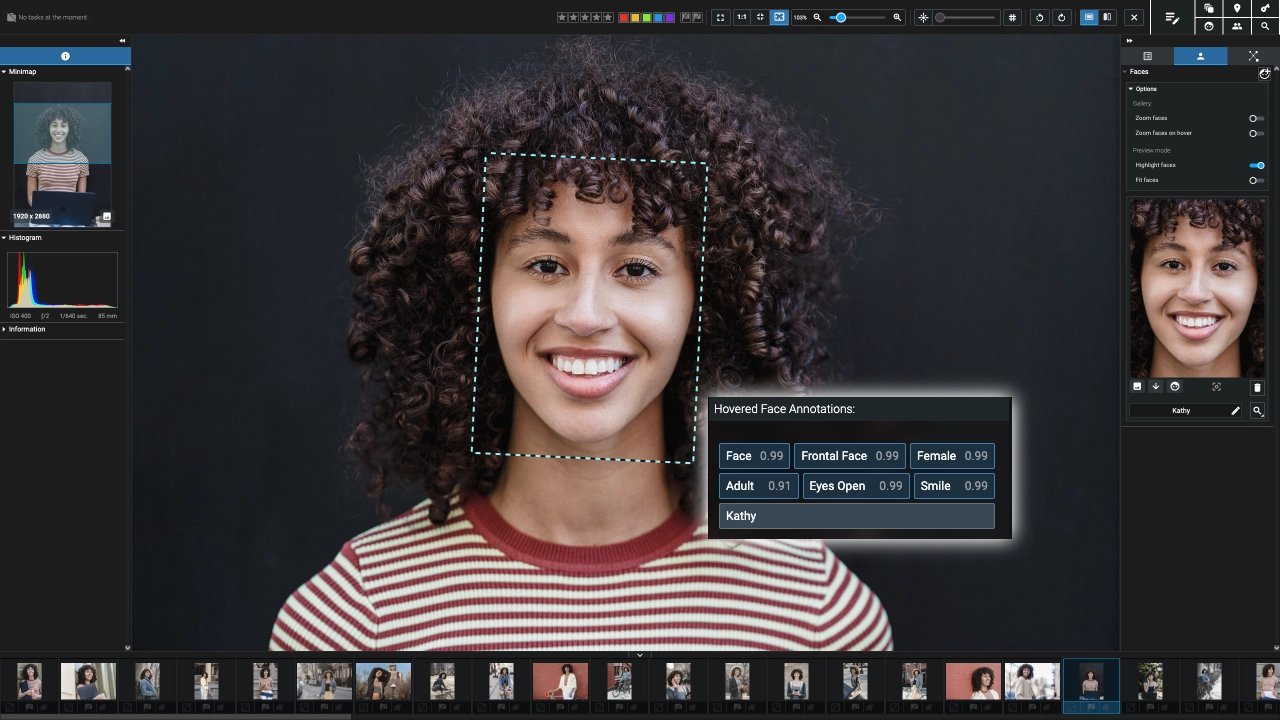
Find faces & people
by searching for specific individuals, age groups, expressions, and more
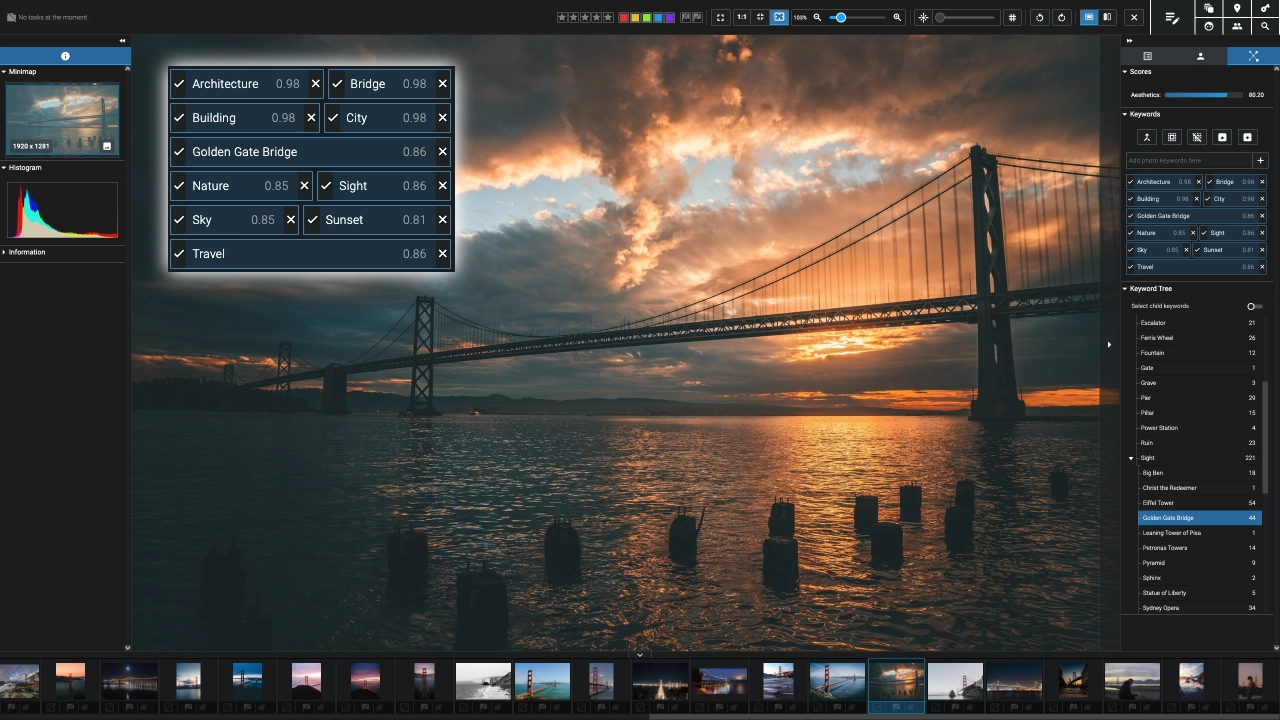
Recognize objects & scenes
including architecture, wildlife, landscapes, sports, and more
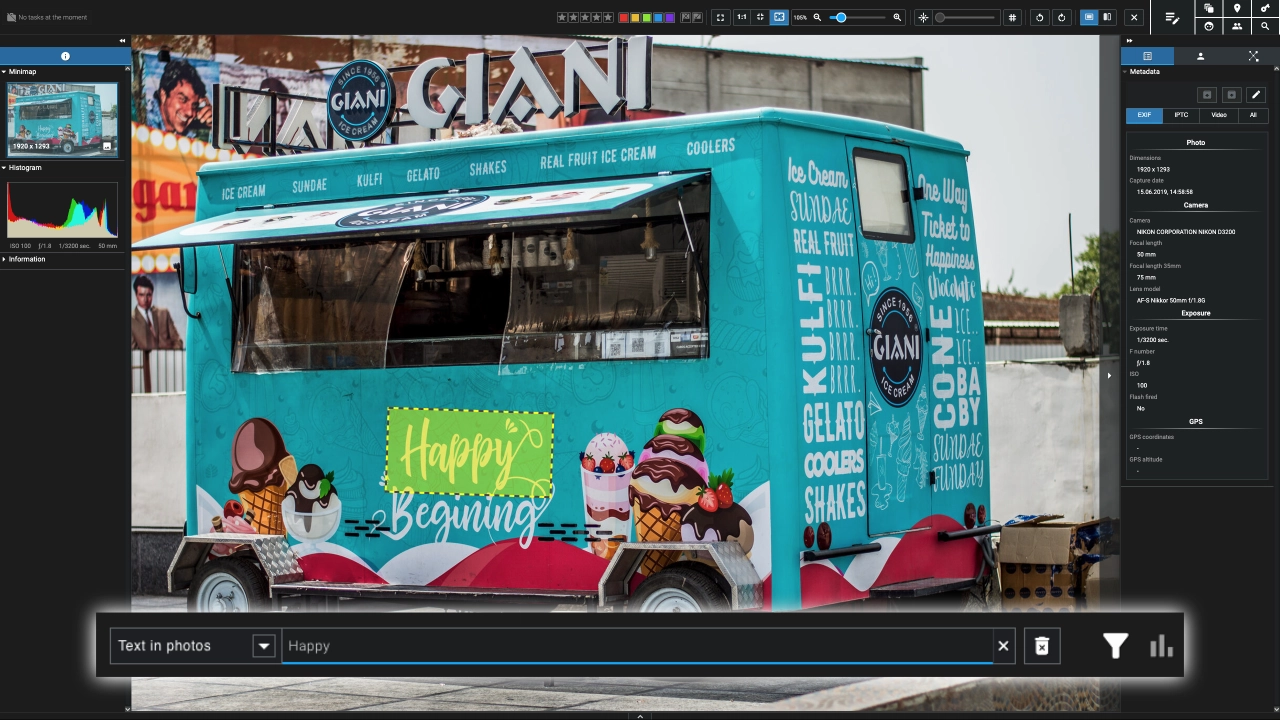
Find text in photos
including signs, car decals, and product names
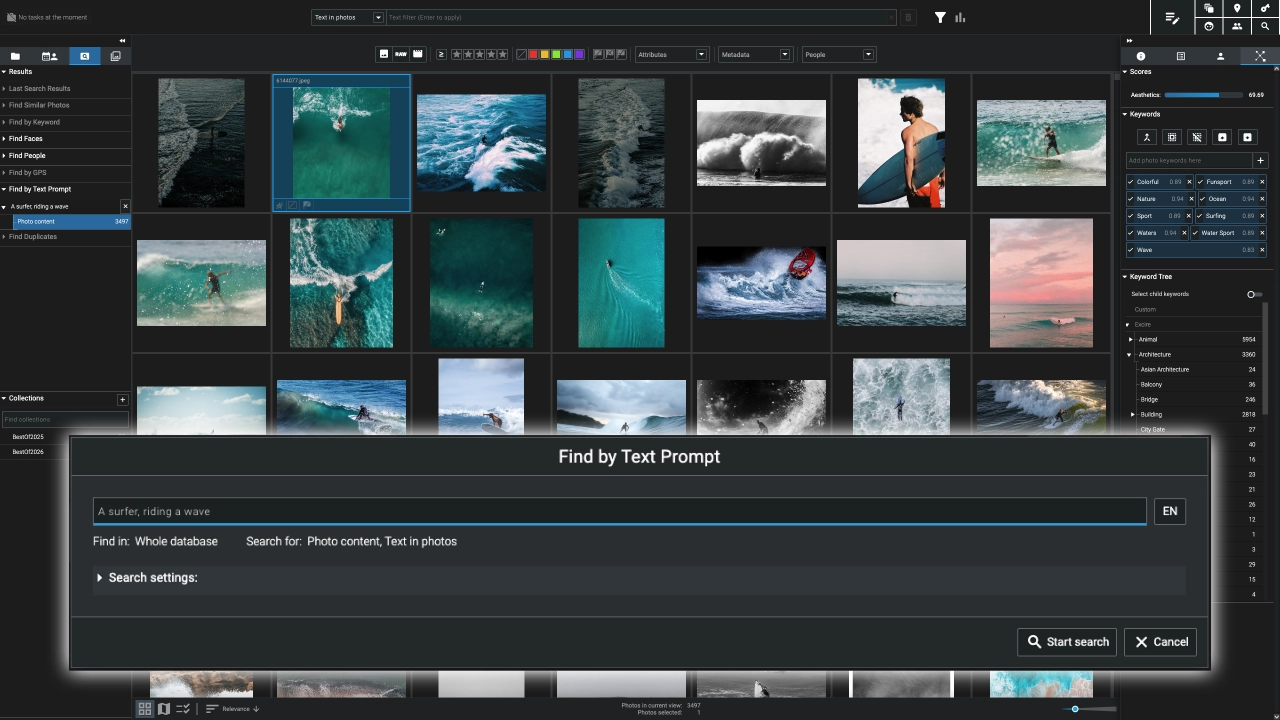
Search for emotions & activities
such as laughter, hugs, cycling, dancing, and relaxation
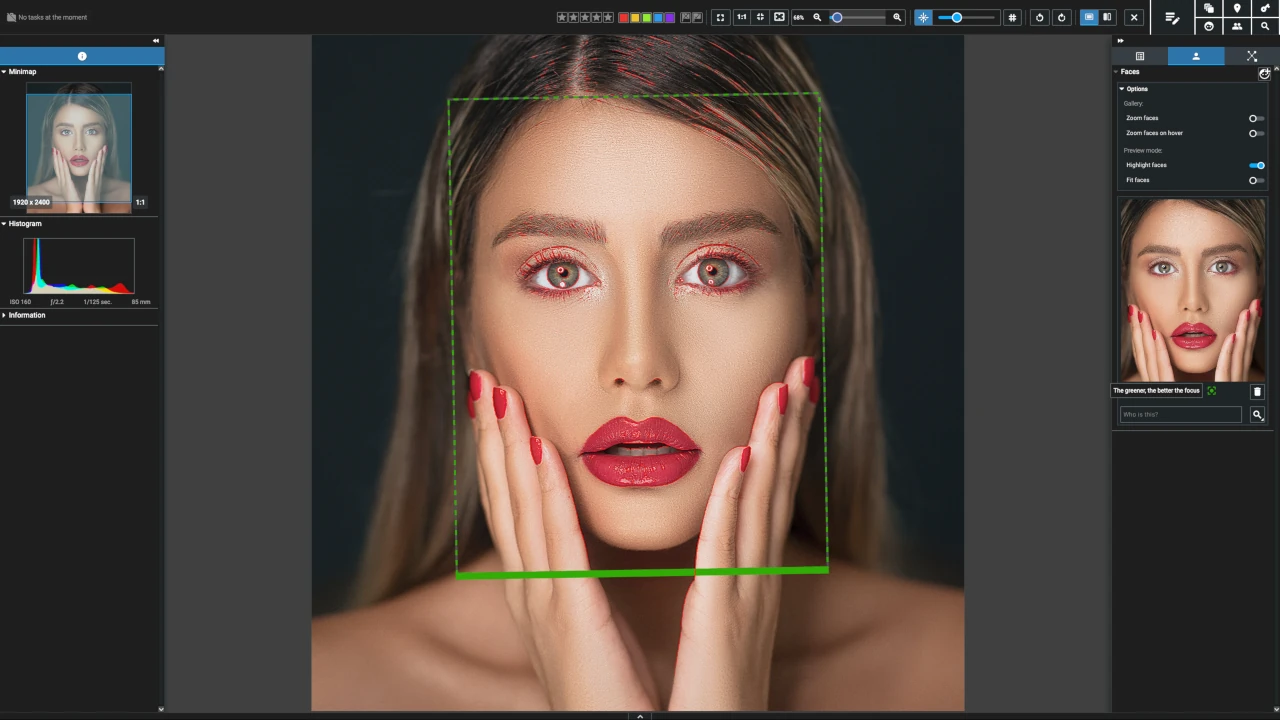
Check sharpness at a glance
with intelligent detection and focus peaking
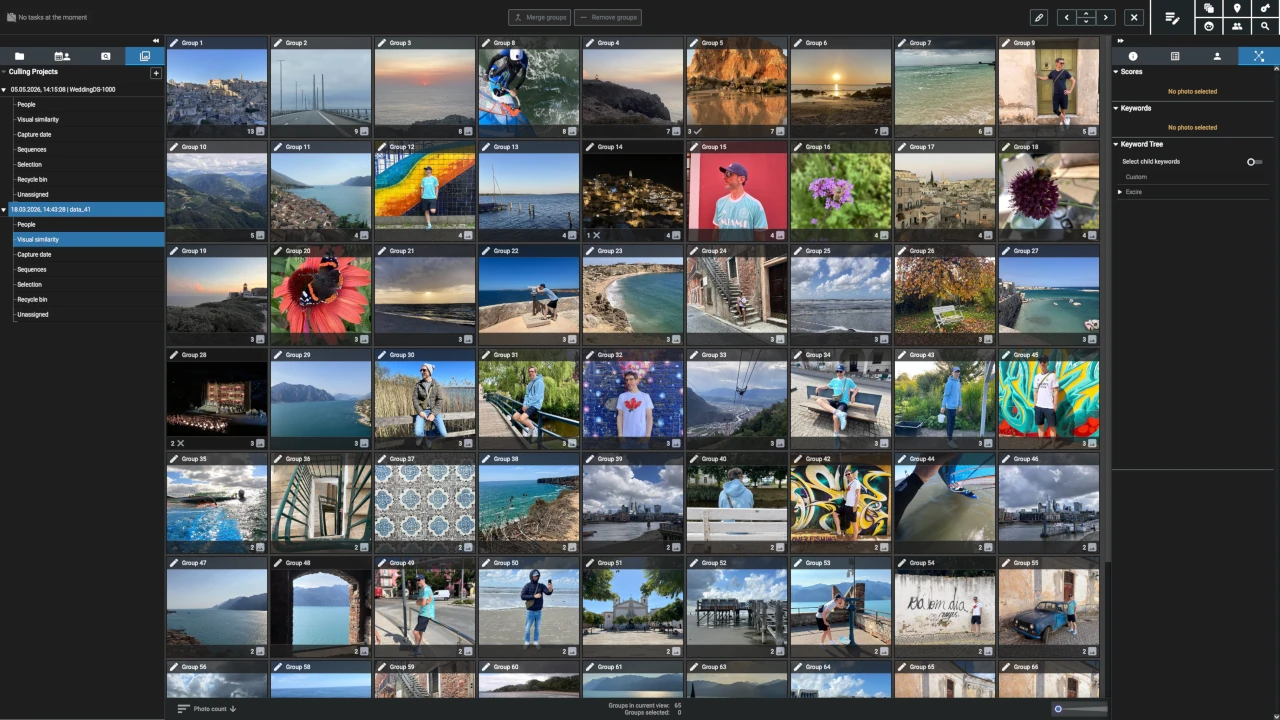
Group photos automatically
by people, scene, sequence, content, or capture date
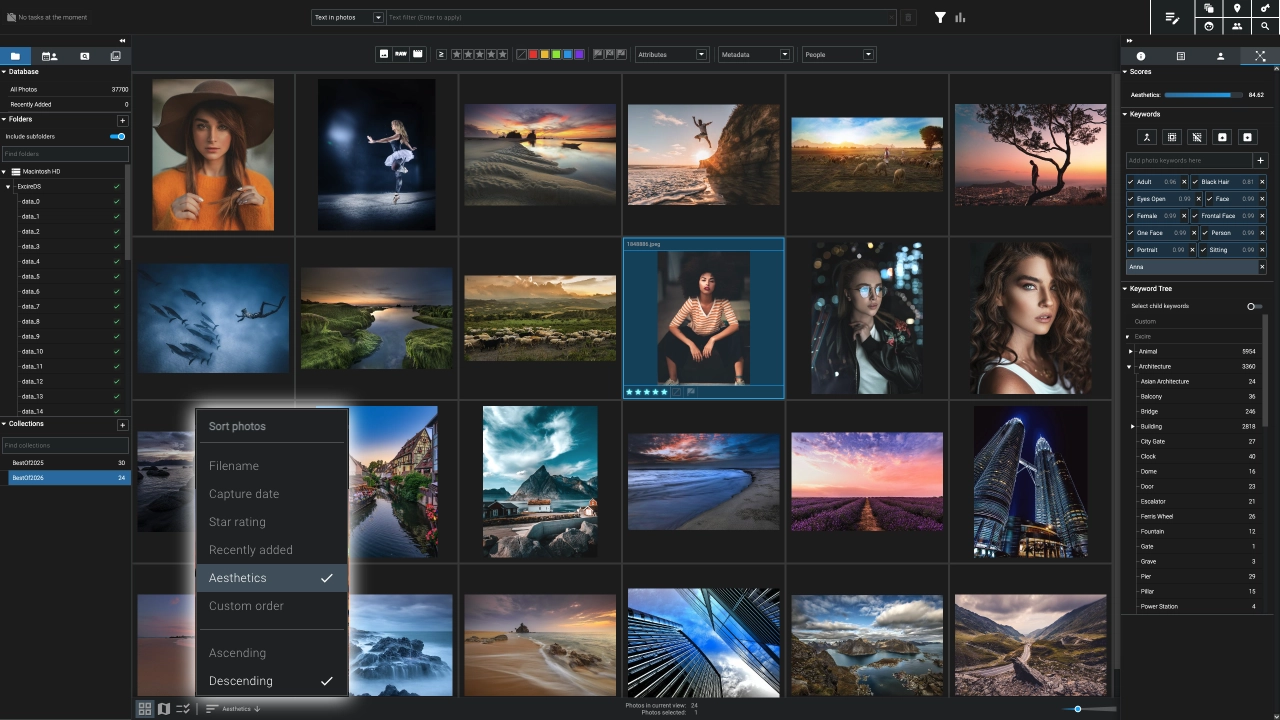
Quickly identify your best shots
by analyzing aesthetics, sharpness, and facial expressions
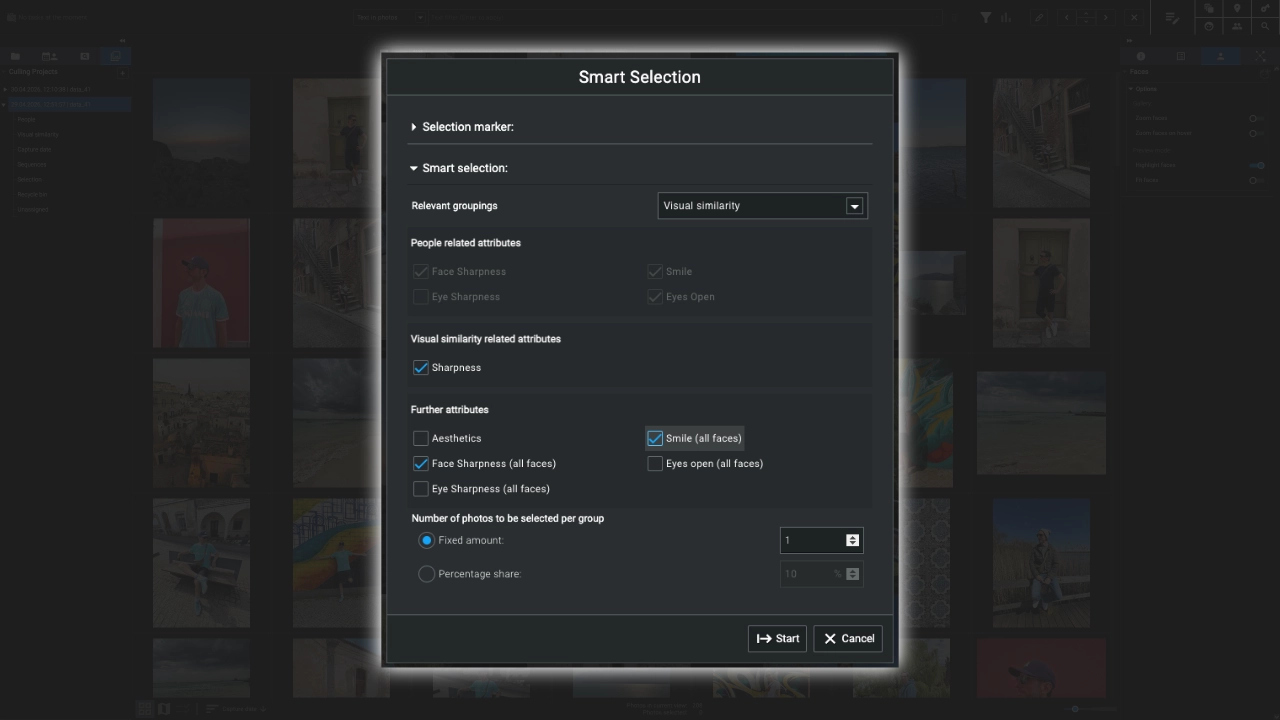
Cull faster with Smart selection
to save time and speed up your client and personal projects
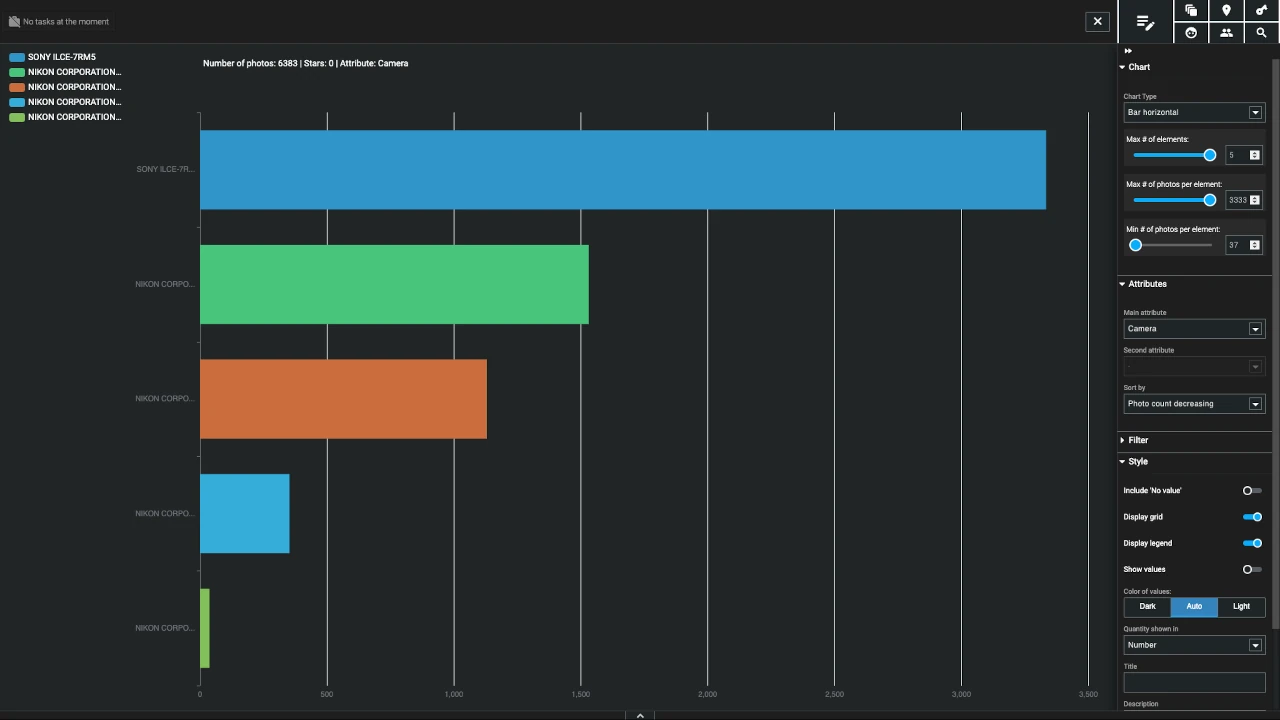
Analytics – Your photography at a glance
Discover which gear you use most often and what helps you take your best photos.

Excire Foto has earned its place in my workflow as a professional photographer. It saves me lots of time and even adds a little pop of joy to my day by turning my archive into something I actively use rather than avoid digging into.

We’ve been using Excire since day one and can no longer imagine working without it. For us, Excire is by far the most powerful solution for virtually all photographic genres; it has not only eliminated the traditional process of browsing and searching but also provides important insights and insights into our own photographic behavior.
What’s new in Excire Foto 2027?
Discover the newest features in Excire Foto 2027, including powerful search tools, intuitive catalog exploration, and major workflow enhancements—so you can manage even the largest photo libraries with ease.
Smart text recognition
Smart text recognition
Find your photos with visible text, from street signs and athletes’ numbers to store names, product labels, and car decals. Text is automatically recognized and instantly searchable!
Interactive Map View
Interactive Map View
Explore your photo library by location and quickly find images based on where they were taken.
Smart filter bar & timeline
Smart filter bar & timeline
Access your photos even faster with AI-powered filtering and a visual timeline that makes it easy to browse by date.
Survey View for photo selection
Survey View for photo selection
View, rate, and select your best photos without distractions (just like in the days of the analog light table).
3x3 Grid & Peaking Mode
3x3 Grid & Peaking Mode
Assess sharpness and composition at a glance for more precise image evaluation!
More cloud sharing options
More cloud sharing options
Share photos via Microsoft OneDrive and Nextcloud in addition to Dropbox and Google Drive.
Automatic keywords from folder names
Automatic keywords from folder names
Save time when tagging by automatically converting folder names into keywords.
Hide AI-generated keywords
Hide AI-generated keywords
Ignore keywords you don’t need and keep your keyword list clean and focused.
Additional interface upgrades
Additional interface upgrades
Experience a streamlined layout, flexible side panels, and convenient clipboard support for a smoother workflow.

One outstanding feature of Excire is its image recognition capability. It is amazing how accurately the software can recognize objects, faces, and even moods in photos.

This powerful photo management tool has transformed the way I organize and find my photos. Its AI-driven features are incredibly accurate and efficient. I can now quickly locate any image I need.
Get started with Excire Foto 2027 today
Just install it, import your photos, and start exploring. Quickly find images, organize your photo library, and identify your best shots with powerful AI-driven tools. Whether you're managing your personal image collection, family memories, or professional projects, Excire Foto helps you save time and stay in control.

My photo archive is huge. Really huge. And folder structures have never been my cup of tea. That’s exactly why I love Excire Foto: the software helps me keep track of everything in my archive. Not by tagging everything manually, but because Excire Foto offers an incredible number of “search options” that I can combine in any way I like. I don’t just search for photos—I narrow down my search precisely. Two people in the picture? Both smiling? Eyes open? Location, metadata, subject, keyword, or scene description? You can combine it all. And that’s exactly when searching finally turns into finding. Excire Foto is also extremely handy for me after shoots: Sort by scene? One click. Photos with closed eyes? Gone. Focus not on the face? Trash. One click—and even 2,000 images are pre-sorted in seconds. And editing? I launch that directly from Excire with a single click into the image editing app of my choice.
Excire Foto 2027 FAQs
What is Excire Foto 2027?
Excire Foto 2027 is a standalone photo and video management program for enthusiast and professional photographers. Excire offers AI-powered tools—such as free-text content search, automatic keywording, people search, Smart selection, and duplicate search—to help you find, organize, and cull your images more efficiently. Excire also includes the features photographers expect from a modern photo-management application. You can organize images with collections, ratings, color labels, and flags; edit metadata; add GPS information; and explore your library using tools such as Map View and the Timeline Graph. Everything runs locally on your computer for complete privacy.
How do I install Excire Foto 2027?
Once you have downloaded the software, you will need to install Excire Foto 2027 on your computer.
For Mac users: Under macOS, please unzip the appropriate ZIP file and mount the appropriate disk image (DMG file). Then start the installation program, which will guide you through the installation step by step.
For Windows users: Open the downloaded executable file (*.exe) and follow the installation instructions.
Is there a user manual for Excire Foto 2027?
Which image formats does Excire Foto 2027 support?
Excire Foto 2025 supports the following image formats:
.3fr, .arw, .cr2, .cr3, .crw, .dcr, .dng, .erf, .heic, .heif, .iiq, .kdc, .mef, .mos, . mrw, .nef, .nrw, .orf, .pef, .ppm, .raf, .raw, .rw2, .rwl, .sr2, .srf, .srw, .bmp, .jpg, .jpeg, .jpe, .jfi f, .png, .pgm, .tif, .tiff, .psd, .webp, .hif
Please note that some compressed variants of these formats are not supported by Excire or the libraries Excire uses. We therefore recommend you test Excire Foto with your own photos before buying.
For Windows users, we recommend installing the Microsoft Raw image extension: Download
Files with the extension .heic or .heif have been supported since version 1.1.1. For macOs users, the HEIC format is processed automatically. In Windows environments, the HEIC format is not natively supported. In order to display .heic files, the system must support HEVC compression. To do this, you can install, for example, both of the following extensions from the Microsoft Store, which are offered by Microsoft Corporation:
HEIF image extensions (free) and HEVC Video Extensions (paid)
How does account management and activation work in Excire Foto 2027
To use Excire Foto 2027, an Excire user account is required and the software must initially be activated via the activation code. The exact details can be found in the following article in our Help Center:
Will I receive regular updates for Excire Foto 2027?
You will receive regular updates, such as bug fixes and/or minor improvements, for free. Only upgrades, which include major improvements and significant new features, are paid. However, existing customers always receive a substantial discount for such upgrades.
Can I train the Excire AI myself?
Unfortunately, this isn’t possible. This is not due to Excire, but rather the methods currently used for image analysis. These methods were trained with millions of photos on specialized hardware.
The entire process takes place in an elaborate offline procedure that lasts several days. It’s the only way to achieve maximum recognition performance. (Note that our solution is a compromise between the best recognition performance and minimal runtime, as our software runs on customer computers, not in the cloud.)
Such AI models cannot be trained with just a few examples, and if they are, the recognition performance is often unacceptable.
Where can I get help if I have a problem?
If you need help, just have a look at our Help center. You can also use Excire Foto 2027 to send us a bug report.
Are my photos uploaded to a cloud server for analysis?
No. Privacy is important to us, so our AI analyzes your photos on your computer. We do not use a cloud solution.
On what platforms is Excire available?
Excire is available for macOS and Windows and supports the latest processor generations (Apple ARM, Intel Silverlake, and other modern processors) and their hardware support for artificial intelligence on both platforms.
Does Excire Foto 2027 send any data to a third party?
Excire Foto does not send any data to external parties. Privacy is very important to us! Therefore, our AI analyzes your photos on your computer.