
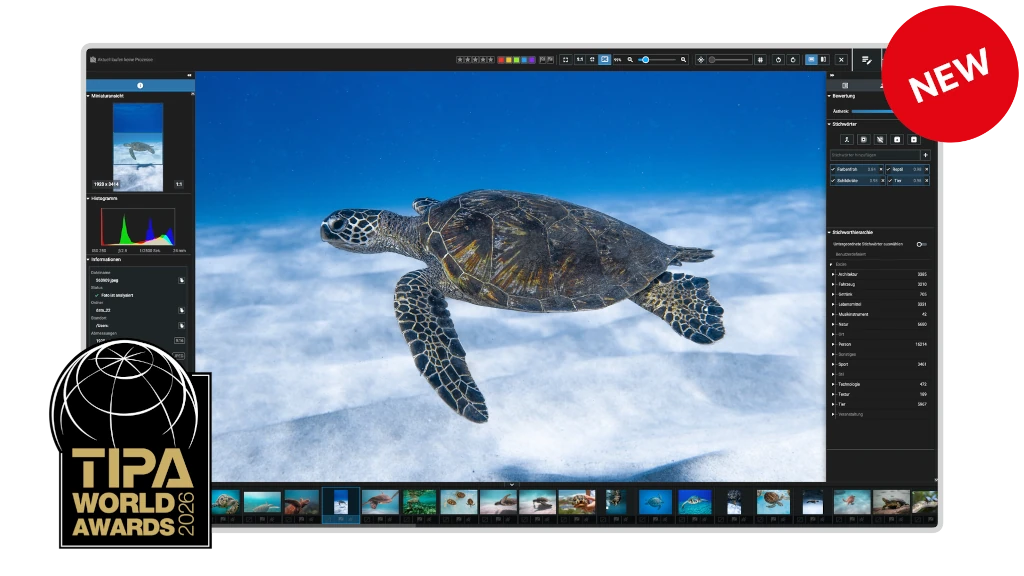





Every photo is more than just a file. It captures a moment, tells a story, and holds lasting emotional value. With Excire Foto 2027 you can access your images quickly and effortlessly, no matter the size of your photo collection.
For photography enthusiasts
& professional photographers
Everything runs locally, your photos stay on your computer
One-time purchase,
no subscription
Search for content, faces, scenes, text, and moods—without manual tagging.
Learn more
Remove duplicates, streamline your workflow, and automatically keyword your growing collection.
Learn more
Use intelligent tools to group by scenes, evaluate image quality, and highlight your keepers.
Learn more

Wesley Verhoeve, photographer and publisher of Process

Miho Birimisa, KREATIVSTUDIO PAVEL KAPLUN
Discover the newest features in Excire Foto 2027, including powerful search tools, intuitive catalog exploration, and major workflow enhancements—so you can manage even the largest photo libraries with ease.

Conny Müller, a multi-award-winning photographer from Essen, Germany

Sam Sciarrino, wedding photographer and Sony ambassador
Just install it, import your photos, and start exploring. Quickly find images, organize your photo library, and identify your best shots with powerful AI-driven tools. Whether you're managing your personal image collection, family memories, or professional projects, Excire Foto helps you save time and stay in control.
Excire Foto 2027 is a standalone photo and video management program for enthusiast and professional photographers. Excire offers AI-powered tools—such as free-text content search, automatic keywording, people search, Smart selection, and duplicate search—to help you find, organize, and cull your images more efficiently. Excire also includes the features photographers expect from a modern photo-management application. You can organize images with collections, ratings, color labels, and flags; edit metadata; add GPS information; and explore your library using tools such as Map View and the Timeline Graph. Everything runs locally on your computer for complete privacy.
Once you have downloaded the software, you will need to install Excire Foto 2027 on your computer.
For Mac users: Under macOS, please unzip the appropriate ZIP file and mount the appropriate disk image (DMG file). Then start the installation program, which will guide you through the installation step by step.
For Windows users: Open the downloaded executable file (*.exe) and follow the installation instructions.
Excire Foto 2025 supports the following image formats:
.3fr, .arw, .cr2, .cr3, .crw, .dcr, .dng, .erf, .heic, .heif, .iiq, .kdc, .mef, .mos, . mrw, .nef, .nrw, .orf, .pef, .ppm, .raf, .raw, .rw2, .rwl, .sr2, .srf, .srw, .bmp, .jpg, .jpeg, .jpe, .jfi f, .png, .pgm, .tif, .tiff, .psd, .webp, .hif
Please note that some compressed variants of these formats are not supported by Excire or the libraries Excire uses. We therefore recommend you test Excire Foto with your own photos before buying.
For Windows users, we recommend installing the Microsoft Raw image extension: Download
Files with the extension .heic or .heif have been supported since version 1.1.1. For macOs users, the HEIC format is processed automatically. In Windows environments, the HEIC format is not natively supported. In order to display .heic files, the system must support HEVC compression. To do this, you can install, for example, both of the following extensions from the Microsoft Store, which are offered by Microsoft Corporation:
HEIF image extensions (free) and HEVC Video Extensions (paid)
To use Excire Foto 2027, an Excire user account is required and the software must initially be activated via the activation code. The exact details can be found in the following article in our Help Center:
You will receive regular updates, such as bug fixes and/or minor improvements, for free. Only upgrades, which include major improvements and significant new features, are paid. However, existing customers always receive a substantial discount for such upgrades.
Unfortunately, this isn’t possible. This is not due to Excire, but rather the methods currently used for image analysis. These methods were trained with millions of photos on specialized hardware.
The entire process takes place in an elaborate offline procedure that lasts several days. It’s the only way to achieve maximum recognition performance. (Note that our solution is a compromise between the best recognition performance and minimal runtime, as our software runs on customer computers, not in the cloud.)
Such AI models cannot be trained with just a few examples, and if they are, the recognition performance is often unacceptable.
If you need help, just have a look at our Help center. You can also use Excire Foto 2027 to send us a bug report.
No. Privacy is important to us, so our AI analyzes your photos on your computer. We do not use a cloud solution.
Excire is available for macOS and Windows and supports the latest processor generations (Apple ARM, Intel Silverlake, and other modern processors) and their hardware support for artificial intelligence on both platforms.
Excire Foto does not send any data to external parties. Privacy is very important to us! Therefore, our AI analyzes your photos on your computer.
The Excire Photo Office Edition is a special solution for companies and team use. In addition to the usual AI power for simple and intuitive photo management, it has the following additional features:
German & English
2.0.1
Mehrkernprozessor mit 64-bit und AVX Unterstützung
Multi-core processor with 64-bit and AVX support.
Older AMD processors like the AMD Phenom™ II X6 1100T and AMD Phenom™ II X (also known as AMD Athlon II X4 640) are not supported.
Intel Core 2 Duo processors are not supported.
Windows 11 (x86 & 64-bit). Note: The Windows version is not optimized for Snapdragon or ARM processors.
Minimum 8GB RAM is required. However, 16GB or more is recommended.
The Excire databases require about 250 MB for 100,000 photos.
ca. 900 MB. Der Vorschau-Speicher umfasst dann ca.
at the highest quality, including raw formats,
and when a preview is generated for each photo.
4.0.0
Excire Search is the perfect solution for all Adobe Lightroom Classic users. The smart Lightroom plugin analyzes and tags photos automatically and extends Lightroom with powerful AI search functions. With just a few clicks, Excire Search finds exactly the photos you are looking for. This makes image management fun again and hours of image searching a thing of the past.
Available for Windows and macOS and now brand new in the 2024 version with integrated duplicate finder!
4.1.3
Note for existing Excire Foto customers: Excire Foto users have to keep in mind for testing that the previous Excire database will be modified when the program is started for the first time. Thus a switch back to older versions is not possible without a backup. We therefore recommend creating a backup before using Excire Foto 2024. How to do this is described here.
3.2.0
Excire Search is the perfect solution for all Adobe Lightroom Classic users. The smart Lightroom plugin analyzes and tags photos automatically and extends Lightroom with powerful AI search functions. With just a few clicks, Excire Search finds exactly the photos you are looking for. This makes image management fun again and hours of image searching a thing of the past.
Available for Windows and macOS and now brand new in the 2022 version with integrated duplicate finder!
Excire’s flagship program boasts dazzling new features and enhanced AI technology. All-new tools offer AI-powered free-text search, GPS-search, and intelligent aesthetics assessment of individual photos. Additionally, AI upgrades ensure better results in facial recognition, similarity search, and automatic keywording.
Excire Foto 2024 retains all core features from Excire Foto 2022, and the Excire Analytics extension is now fully integrated into the new program.
Highlights of the 2024 version include:
3.2.0
Excire Foto 2022 is a powerful and innovative software designed for easy photo management and quick content-based browsing. Numerous smart features help you get organized and find the photos you are looking for.
These are the highlights of the new 2022 version:
We recommend Windows users to install the Microsoft Raw image extension: Download
2.2.4