
With Excire Foto 2022 Light you can easily manage and archive your photos. Find instead of search, and keep track of your photos instead of sinking into photo chaos!
Instantly find and categorize photos thanks to Excire’s AI-powered keywording, facial recognition software, and content-based search. Effortlessly organize your images with collections, star ratings, flags, and color labels.
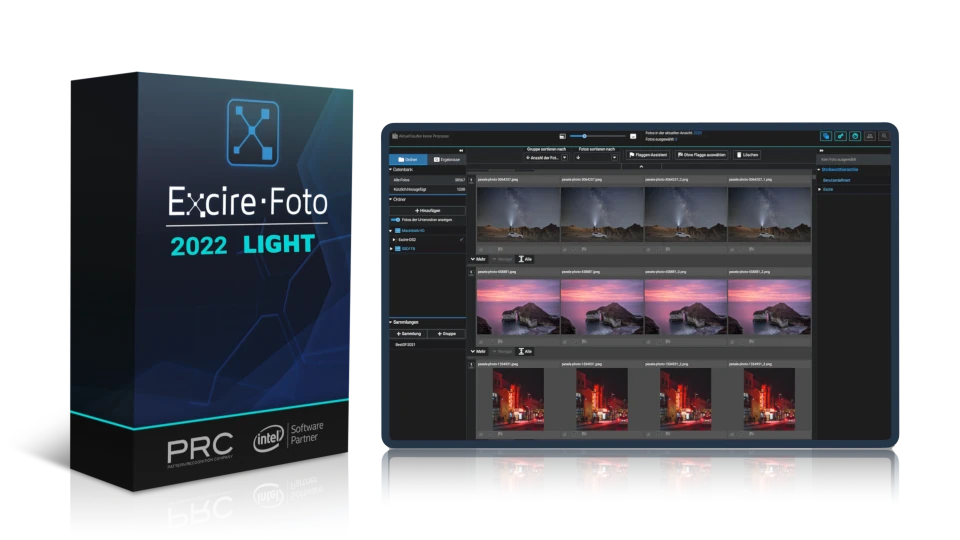
Excire Foto 2022 Light is simple, it's free, and it's designed to quadruple your productivity.
With Excire Foto 2022 Light, you'll spend less time on tedious photo-management tasks and more time doing what you love.
Highlights of Excire Foto 2022 Light include:
Excire Foto 2022 Light helps you save time and organize your photos. However, if you are looking for a more comprehensive solution, you should consider the brand-new Excire Foto 2025. In addition to all the features included in Excire Foto 2022 Light, the latest version of Excire Foto offers improved AI-based recognition, free-text search, a duplicate finder, AI-assisted culling projects, and support for video and RAW files.
For a detailed comparison of Excire Foto 2022 Light and Excire Foto 2025, please view the table below. If you'd like to try Excire Foto 2025 for free, click here. And to buy an Excire Foto 2025 lifetime license, head over to the shop!
| 2022 Light | 2024 | 2025 | |
| Installation and initialization | |||
| Automatic AI-based keyword assignment for photos | X | X (new improved version) |
X (new improved version)
|
| Automatic AI-based keyword assignment for videos | X | ||
| AI-powered search functions | |||
| Unrestricted free-text search | X | X | |
| Search with keywords | X | X | X |
| Discover similar images: Effectively locate photos that share similarities | X | X | X |
| Find similar photos with external photo | X | X | X |
| Search for faces | X | X | X |
| Search for people | X | X | X |
| Find people with external photo | X | X | X |
| Search for duplicate photos | X | X | |
| GPS search | X | X | |
| Person-centered workflow | |||
|
Close-up display and easy navigation for fast assessment of faces
|
X | ||
| Visualization of facial focus and other attributes in preview mode | X | ||
|
Face-tagging and display of tagged people in collections
|
X | ||
| AI-assisted photo selection | |||
| Built-in culling workflow | X | ||
| Automatic grouping and sorting options | X | ||
| Filtering of bad and good shots based on different criteria | X | ||
| Aesthetic ratings | X | X | |
| Smart photo selection with predefined or individual profiles | X | ||
| Display and presentation | |||
| Preview mode | X | X | X |
|
Automatic loading of 1:1 resolution images in preview mode
|
X | ||
| Comparison view in preview mode | X | ||
| Professional slideshow | X | X | |
| Built-in video player | X | ||
| Show GPS position of a photo in Google Maps | X | X | |
|
Statistical analysis of photo habits (Analytics)
|
X | X | |
| Supported formats | |||
| JPG, PNG and BMP formats | X | X | X |
| RAW formats | X | X | |
| Support of PSD files | X | X | |
| Support of webp files | X | ||
| Filter options | |||
| Filter by IPTC metadata | X | X | X |
| Filter by media type (RAW, photo, video) | X | ||
|
Filter by aspect ratio
|
X | ||
| Filter by video length | X | ||
| Manage and organize | |||
| Support of Windows network paths | X | X | X |
| Multiple databases | X | X | X |
| Read EXIF data | X | X | X |
| Read IPTC metadata | X | X | X |
| IPTC manager & editor | X | X | |
| Save metadata | X | X | |
| Import stars, ratings, labels | X | X | X |
| Import keywords | X | X | X |
| Assign manual keywords | X | X | X |
| Add GPS coordinates | X | X | |
| Batch renaming and moving of files | X | X | X |
| Duplicate finder with numerous setting options | X | X | |
| Delete photos | X | X | |
| Create collections | X | X | X |
| Status for folders and collections | X | X | |
| Assign and search for stars, flags, and color labels | X | X | X |
| Export and share | |||
| Export photos (with or without metadata) | X | X | |
| Share via Dropbox | X | X | X |
| Share via Google Drive | X | X | X |
The Excire Photo Office Edition is a special solution for companies and team use. In addition to the usual AI power for simple and intuitive photo management, it has the following additional features:
German & English
2.0.1
Mehrkernprozessor mit 64-bit und AVX Unterstützung
Multi-core processor with 64-bit and AVX support.
Older AMD processors like the AMD Phenom™ II X6 1100T and AMD Phenom™ II X (also known as AMD Athlon II X4 640) are not supported.
Intel Core 2 Duo processors are not supported.
Windows 11 (x86 & 64-bit). Note: The Windows version is not optimized for Snapdragon or ARM processors.
Minimum 8GB RAM is required. However, 16GB or more is recommended.
The Excire databases require about 250 MB for 100,000 photos.
ca. 900 MB. Der Vorschau-Speicher umfasst dann ca.
at the highest quality, including raw formats,
and when a preview is generated for each photo.
4.0.0
Excire Search is the perfect solution for all Adobe Lightroom Classic users. The smart Lightroom plugin analyzes and tags photos automatically and extends Lightroom with powerful AI search functions. With just a few clicks, Excire Search finds exactly the photos you are looking for. This makes image management fun again and hours of image searching a thing of the past.
Available for Windows and macOS and now brand new in the 2024 version with integrated duplicate finder!
4.1.3
Note for existing Excire Foto customers: Excire Foto users have to keep in mind for testing that the previous Excire database will be modified when the program is started for the first time. Thus a switch back to older versions is not possible without a backup. We therefore recommend creating a backup before using Excire Foto 2024. How to do this is described here.
3.2.0
Excire Search is the perfect solution for all Adobe Lightroom Classic users. The smart Lightroom plugin analyzes and tags photos automatically and extends Lightroom with powerful AI search functions. With just a few clicks, Excire Search finds exactly the photos you are looking for. This makes image management fun again and hours of image searching a thing of the past.
Available for Windows and macOS and now brand new in the 2022 version with integrated duplicate finder!
Excire’s flagship program boasts dazzling new features and enhanced AI technology. All-new tools offer AI-powered free-text search, GPS-search, and intelligent aesthetics assessment of individual photos. Additionally, AI upgrades ensure better results in facial recognition, similarity search, and automatic keywording.
Excire Foto 2024 retains all core features from Excire Foto 2022, and the Excire Analytics extension is now fully integrated into the new program.
Highlights of the 2024 version include:
3.2.0
Excire Foto 2022 is a powerful and innovative software designed for easy photo management and quick content-based browsing. Numerous smart features help you get organized and find the photos you are looking for.
These are the highlights of the new 2022 version:
We recommend Windows users to install the Microsoft Raw image extension: Download
2.2.4