Excire Search 2026
Supercharge Your Lightroom Classic Experience With AI-Powered Search, Culling & Organization
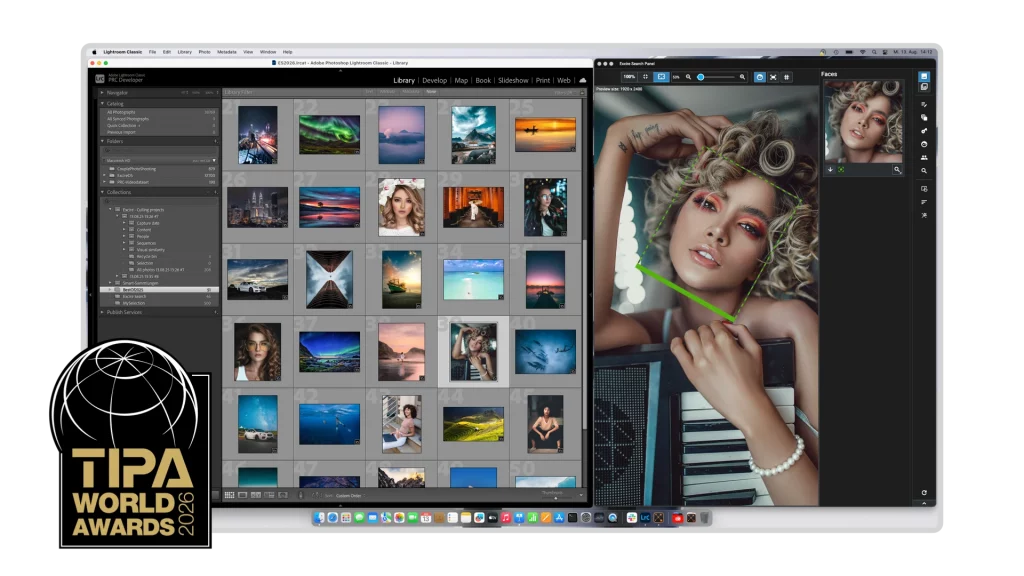
Excire Search 2026 – The Best Lightroom Classic Plugin for Faster, Smarter Photo Management
Thousands of photos. Hundreds of clips. Your precious moments. Finding the right one shouldn’t be a struggle.
Excire Search 2026 brings powerful AI directly into Lightroom Classic so you can search smarter, organize faster, and select your best shots with ease.
For photo enthusiasts and working professionals. For filmmakers and memory keepers. For everyone who sees stories in pictures—and never wants to lose them.
What's new in Excire Search 2026?
- AI-assisted photo culling – group by scenes, people, and more, plus smart selection of your best photos
- The all-new Excire Search Panel – your favorite tools, always at your fingertips
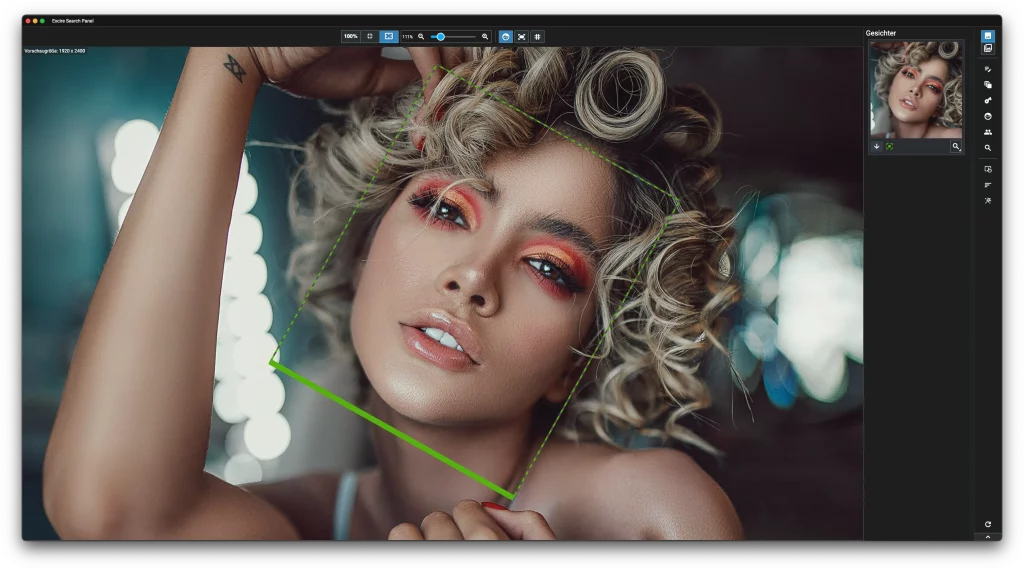
- Automatic focus checking – zoom in and evaluate face sharpness in seconds
- Video support – analyze your clips for fast, content-based search
- Streamlined workflow – save hours on culling, tagging, and searching
- Full control & data protection – everything runs locally on your computer, no cloud, fully GDPR-compliant
Find
The right moment. In seconds.
Looking for that photo of the sunset by the sea? The image of your child laughing? The video of your visit to the Colosseum?
Excire Search 2026 recognizes what's in your photos and clips—automatically, locally, and at lightning speed.
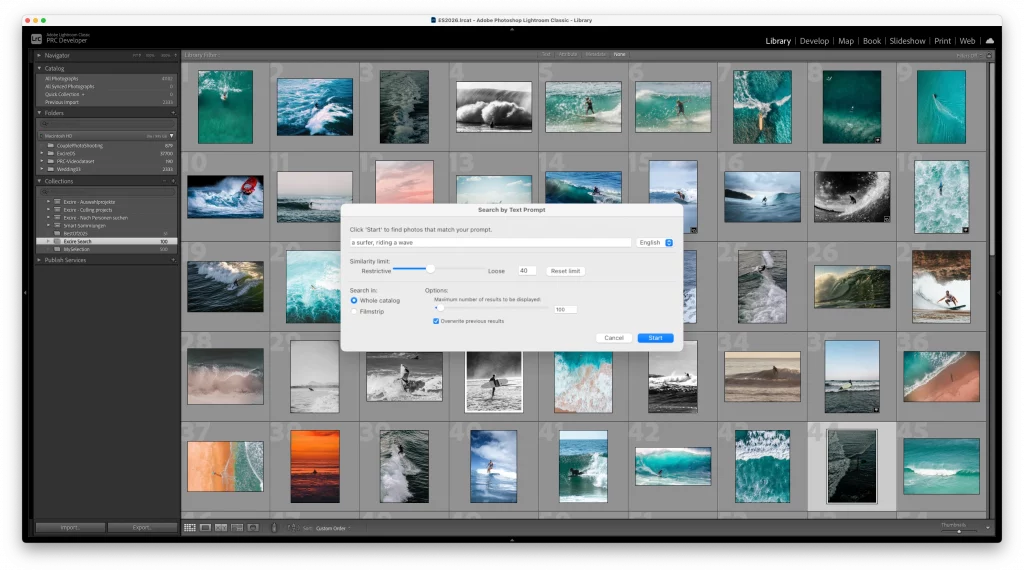
Excire’s AI understands your content:
- Faces – recognizes people, even without names or keywords
- Objects & scenes – from mountains and beaches to fireworks and city streets
- Colors & lighting – blue skies, golden light, night scenes, and more
- Emotions & movement – laughter, hugs, dancing, running, driving
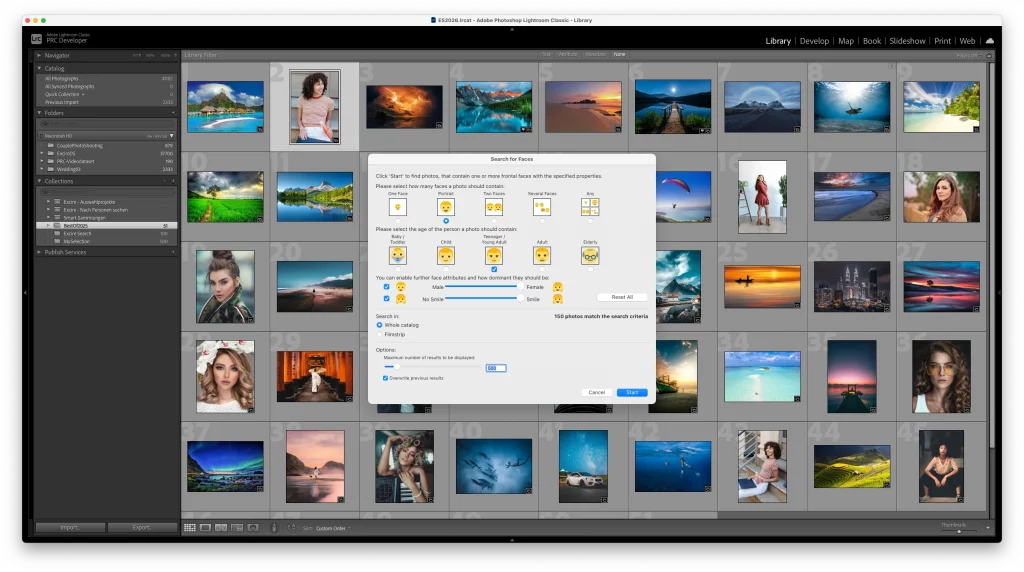
Your powerful search tools:
- Prompt search – input text descriptions like “backlit portrait” or “child in snow”
- Similarity search – find related images and videos with a single click
- People search – instantly find photos of the bride, the parents, or the whole wedding party
- Face search – find smiling couple portraits or candids from your last trip
- Keyword search – find images without tedious manual tagging
- Aesthetic search – find your best shots using intelligent aesthetic ratings
Save hours of searching. Excire Search brings structure to your creative workflow.
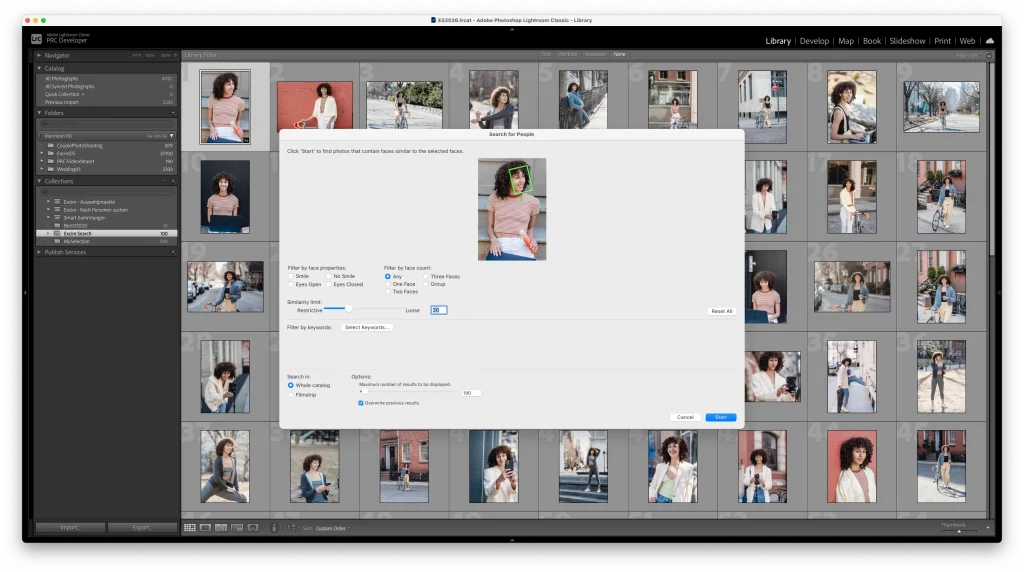
Organize
Finally, order. No effort needed.
Countless photos, chaotic folder structures, cryptic file names? With Excire Search 2026, you regain control—without spending hours assigning keywords.
Here’s how Excire Search streamlines the organization process:
- Automatic tagging – photos and videos are labeled with clear, meaningful terms
- Keyword transfer – Excire writes tags directly into your Lightroom catalog fields
- Duplicate finder – identify duplicates and near-duplicates to free up space and ensure order
- Theme & people filtering – experience intuitive, content-based navigation through your archive
- Content + metadata filtering – view files by combining content recognition and metadata filters
- Ideal for large catalogs – save time and keep even massive libraries organized
Select
Highlight your best work.
Rapidly identify your strongest shots, group similar images, and review entire photoshoots with ease. Make the right choice, every time.
With AI-powered tools for streamlined selection, Excire Search 2026 helps you focus on the images that matter.
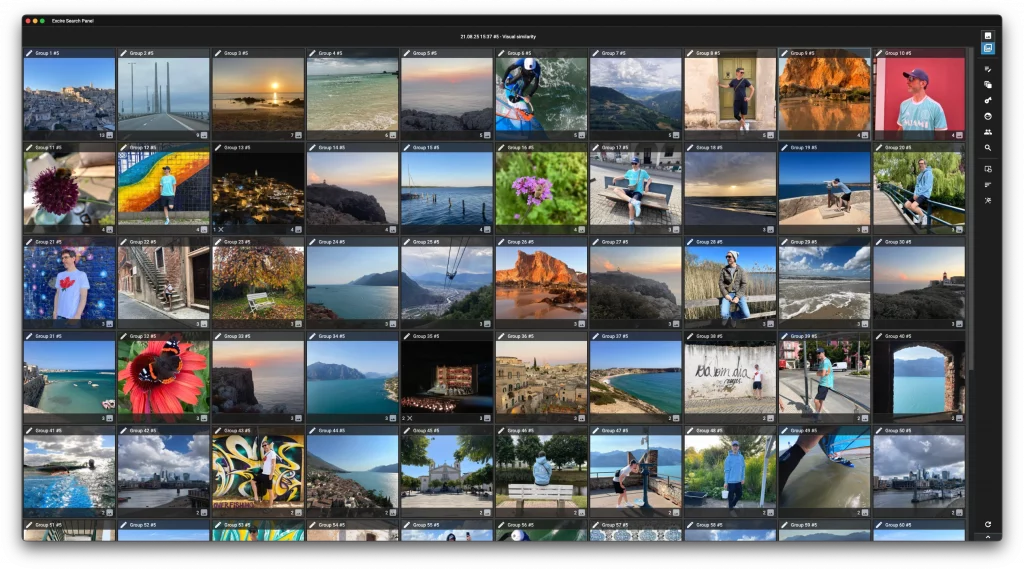
AI-assisted photo selection
New and powerful
Do you have hundreds (or thousands) of files from a portrait photoshoot, a vacation, or a landscape photo adventure? Excire Search helps you find your best shots in an instant:- Face sharpness detection – for quick technical checks
- Intelligent photo grouping – group by scene, content, date/time of capture, people, or bursts/sequences
- Best-shot detection – Instant AI analysis of sharpness, facial expressions, and/or aesthetics
- Smart (pre)selection – save hours on client deliveries, personal projects, and more
Whether you’re creating a photo book, a social-media post, a wall display, or a client gallery—with Excire Search, you’ll select your final photos faster and better than ever before.
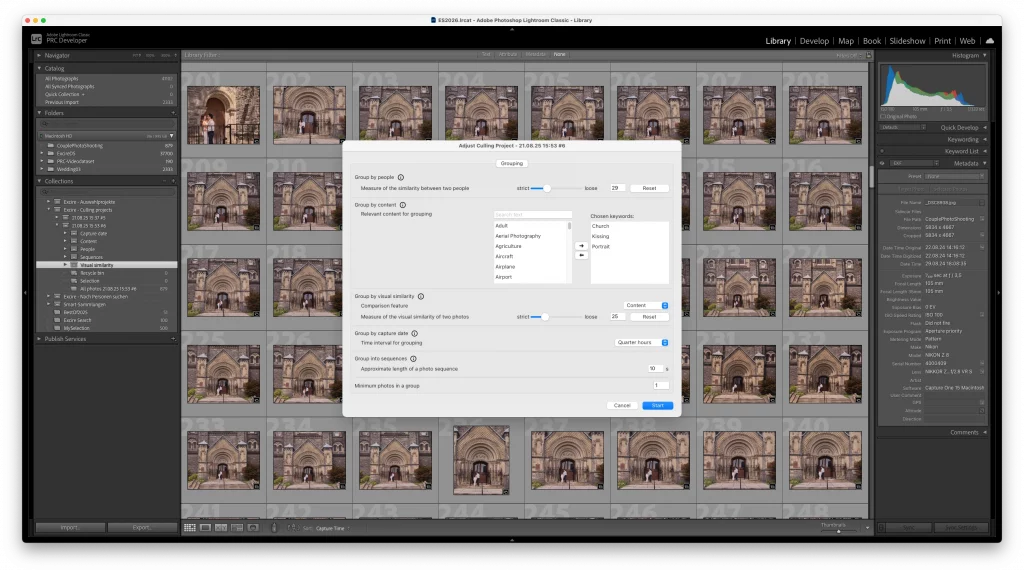
The Excire Search Panel
Our UI innovation
Every click matters—especially when speed is key. The new Excire Search Panel gives you instant access to your most-used tools with no detours, no wasted time.
Everyday benefits:
- One-click access to essential search and culling functions
- Flexible placement anywhere in your workspace
- Focus checks at a glance
- Adjustable for single- and dual-monitor setups
Fewer clicks, more efficiency—a true workflow boost.
How Excire Search makes your Lightroom Classic smarter
 |
 |
|
|---|---|---|
| Automatic tagging | Yes | No |
| Prompt and similarity search | Yes | No |
| People and face search | Yes | Limited |
| Duplicate finder | Yes | No |
| Aesthetic ratings | Yes | No |
| AI-assisted photo culling | Yes | No |
| Automatic focus checking | Yes | No |
Why Excire Search 2026?
- The best Lightroom Classic plugin for intelligent photo and video management
- Complete privacy thanks to 100% local processing—no cloud, no data transfer
- Save hours across your workflow for maximum productivity
- Smoothly manage even the largest Lightroom catalogs
- Developed in Germany—GDPR-compliant and reliable
Get started with Excire Search 2026 now
Install, analyze, find.
Excire Search is ready to use right away—for your Lightroom catalog, your memories, your projects.